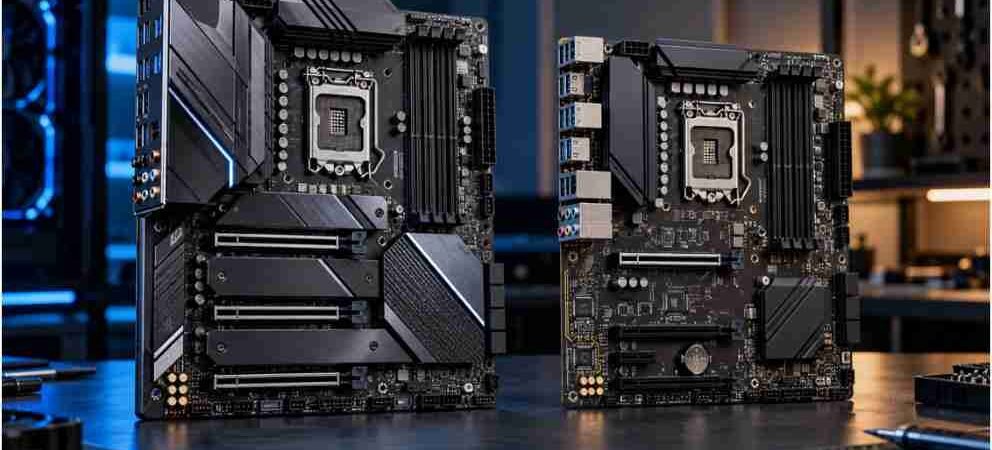
Building my last three desktop rigs taught me one expensive lesson: buying the wrong motherboard chipset wastes serious cash. When you stare down the barrel of a new Intel build, the debate over z-series vs b-series motherboard chipset differences dictates your budget, performance headroom, and upgrade path.
Overclocking enthusiasts and hardcore builders naturally lean toward the flagship Z-tier, while smart budget architects find massive value in the mainstream B-tier. Let’s strip away the marketing hype and examine how these two platforms actually perform under sustained loads.
Core Architectural Differences Under the Hood
Performance across standard gaming workloads feels nearly identical on paper when paired with the same processor. Under the hood, however, Intel engineers built these two silicon platforms for entirely different audiences.
Overclocking Capabilities and Memory Support
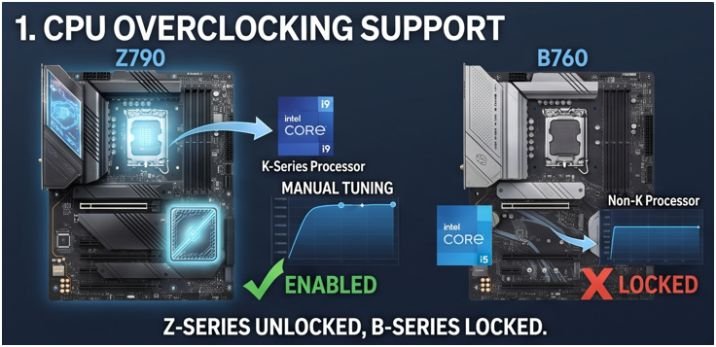
Unlocking raw CPU frequency multipliers requires a Z-series board paired with an unlocked “K” or “X” series processor. If you want to push clock speeds beyond factory limits, B-series chipsets completely lock manual CPU ratio tuning.
Both platforms fully support high-speed memory profiles like Intel XMP and CUDIMM, ensuring you can still run fast RAM modules at 6000MHz+ without paying an enthusiast tax. According to documentation from Intel Support, memory overclocking availability on mainstream platforms democratizes high-bandwidth data transfers for everyday users.
PCIe Lane Allocation and Expansion
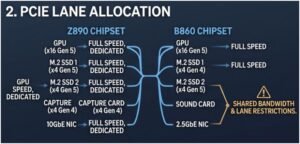
Bandwidth distribution separates high-end rigs from budget builds. Z-series chipsets feature massive lane counts, letting you run multiple Gen 4 or Gen 5 NVMe SSDs alongside a top-tier GPU at full speeds.
B-series chipsets provide fewer total lanes. While a single graphics card and one or two M.2 drives run without friction, stacking extra capture cards or storage drives triggers lane sharing and bandwidth bottlenecks.
| Feature Comparison | Z-Series Chipsets (Enthusiast) | B-Series Chipsets (Mainstream) |
| CPU Overclocking | Fully Supported (Requires K/X CPU) | Locked (No manual frequency tuning) |
| RAM Overclocking | Fully Supported (XMP / CUDIMM) | Fully Supported (XMP / CUDIMM) |
| PCIe Lane Count | High density, multi-GPU/SSD support | Restricted lanes, potential bottlenecking |
| Power Delivery | Multi-phase VRMs with heavy heatsinks | Moderate to solid (varies by tier) |
| Target Price Tier | Premium | Mid-range / Budget-friendly |
Power Delivery, VRMs, and Thermal Realities

Pushing high-end silicon like an Intel Core i9 or Ultra 9 requires clean electrical current. Z-series boards utilize thick PCB layers and heavy-duty Voltage Regulator Modules (VRMs) designed to handle intensive, sustained workloads like 4K video rendering or heavy AI data processing without breaking a sweat.
B-series boards feature more modest VRM arrays. Premium B-tier models handle stock i7 or Ultra 7 chips cleanly, but ultra-budget boards risk thermal throttling if paired with power-hungry flagships under long multi-threaded loads. Reference guidelines on power stability are detailed further in resources hosted by Tom’s Hardware.
External Connectivity and Peripheral I/O
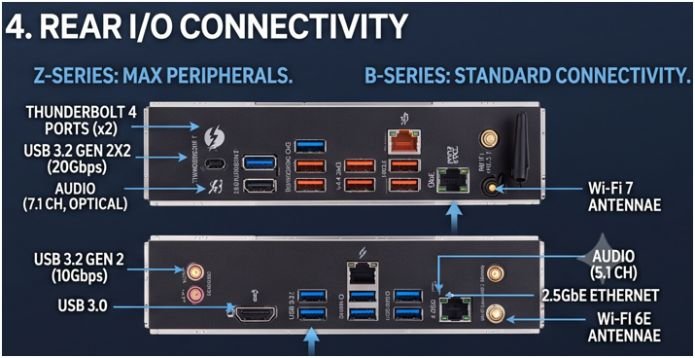
Connectivity defines modern productivity. Z-series motherboards feature dense rear I/O panels packed with high-speed USB 3.2 Gen 2×2 ports, native Thunderbolt 4/5 integration, and high-bandwidth networking like 5GbE or Wi-Fi 7.
B-series alternatives offer dependable, standard connectivity options. Mid-range boards frequently include Wi-Fi 6E/7 and 2.5G Ethernet, but they feature fewer ultra-fast USB headers overall. Furthermore, pairing these builds with standard non ecc memory keeps overall system costs practical.
Strategic Buying Advice: Which Platform Wins?
Choosing your hardware depends entirely on your performance goals and component roadmap.
- Choose B-Series If: You are building a value-focused gaming rig or standard workstation. Modern processors manage their own boost clocks efficiently out of the box, rendering manual overclocking obsolete for most users. Reallocating cash saved from a mainstream board directly into a faster graphics card or a faster SSD yields tangible, real-world frame rate gains.
Selecting the right components is simplified when reviewing curated compatibility lists for modern motherboards for intel core processors.
- Choose Z-Series If: You love manual hardware tuning, plan to populate every single M.2 slot with blistering storage drives, or rely on professional-grade Thunderbolt peripherals.
Frequently Asked Questions
1. Can I overclock my CPU on a B-series motherboard?
No, Intel locks manual CPU frequency multiplier tuning exclusively to Z-series chipsets.
2. Do B-series motherboards support fast RAM speeds?
Yes, modern B-series chipsets fully support Intel XMP and memory overclocking profiles.
3. Will a B-series board bottleneck a high-end graphics card?
No, primary PCIe x16 slots operate at full speed without bandwidth reduction.
4. Is a Z-series board necessary for casual gaming?
No, actual in-game frame rates remain virtually identical when using the same CPU and GPU.