I can tolerate a slightly grainy webcam during a work call, but unclear audio becomes distracting almost immediately. Echo, keyboard clicks, distant voices, and inconsistent volume can make even a routine Zoom or Microsoft Teams meeting feel less professional than it should.
That is why I look at the best USB microphone for remote meetings as more than a simple desk accessory. The right microphone should make my voice sound clear without forcing me to constantly adjust settings, sit unnaturally close, or fight background noise.
For remote professionals in the US, especially those using Zoom, Microsoft Teams, Google Meet, or Webex every week, the most useful microphones are the ones that combine clear speech, practical mute controls, strong directional pickup, and reliable USB connectivity.
Which USB Microphone Is Best for Remote Meetings in 2026?
No single microphone works perfectly in every home office. A quiet spare bedroom and a shared apartment require very different equipment.
For most professionals, I would start with the RØDE NT-USB Mini. Its condenser capsule uses a directional cardioid polar pattern that focuses on sound in front while reducing room noise. It also includes a compact desktop stand, built-in pop filtering, USB connectivity, and headphone monitoring.
That combination makes it especially attractive for client calls, remote interviews, virtual presentations, and everyday home-office meetings where I want professional voice quality without filling my desk with complicated audio equipment. It also fits neatly into a streamlined workstation alongside essentials such as a Bluetooth adaptor for desktop connectivity.
What Is the Best Budget USB Microphone for Zoom and Teams?
HyperX SoloCast
If I wanted an affordable and simple microphone for Zoom or Microsoft Teams, the HyperX SoloCast would be high on my list.
Its cardioid pickup pattern concentrates on sound coming from the front, while the tap-to-mute sensor makes it easy to silence the microphone without hunting for an on-screen meeting control. HyperX also provides an LED mute indicator and an adjustable desktop stand.
I particularly like that combination for remote employees, college students, and freelancers who want better video-call audio without paying for features designed primarily for professional recording.
What USB Microphone Works Best in a Noisy Home Office?
Samson Q2U
If keyboard noise, children, roommates, traffic, or air conditioning regularly interrupt my meetings, I would consider the Samson Q2U instead of a sensitive condenser microphone.
The Q2U is a dynamic cardioid microphone. Samson specifically notes that it is less sensitive to distracting background sounds and suitable for untreated rooms. It also supports both USB and XLR connections, includes headphone monitoring, and comes with a desktop stand.
A dynamic microphone usually works best when I speak relatively close to it. That may feel different at first, but it allows my voice to dominate the signal while reducing the impact of sounds farther away.
Is the Elgato Wave:3 Worth It for Professional Meetings?
The Elgato Wave:3 is better suited to users who want additional control over their desktop audio.
It uses a cardioid condenser design and includes hardware controls, capacitive mute functionality, headphone monitoring, and Elgato’s Wave Link audio software. The current Wave:3 generation also adds onboard audio processing and automatic gain features.
I would consider it for someone who frequently moves between video conferencing, presentations, screen recording, training sessions, streaming, or content creation. For occasional meetings, however, its additional controls may be more than necessary.
Is a Blue Yeti Good for Zoom and Remote Work?
The Blue Yeti remains useful because it supports multiple pickup patterns, including cardioid, bidirectional, omnidirectional, and stereo.
For an individual remote meeting, I would normally choose cardioid mode. It focuses primarily on sound arriving from the front rather than treating the entire room equally.
That does not mean cardioid mode magically eliminates keyboard clicks. It reduces off-axis sound, but microphone placement, gain level, keyboard position, and room acoustics still affect what other people hear.
How Far Should a USB Microphone Be From My Mouth?
This is where a good microphone can either sound excellent or surprisingly poor.
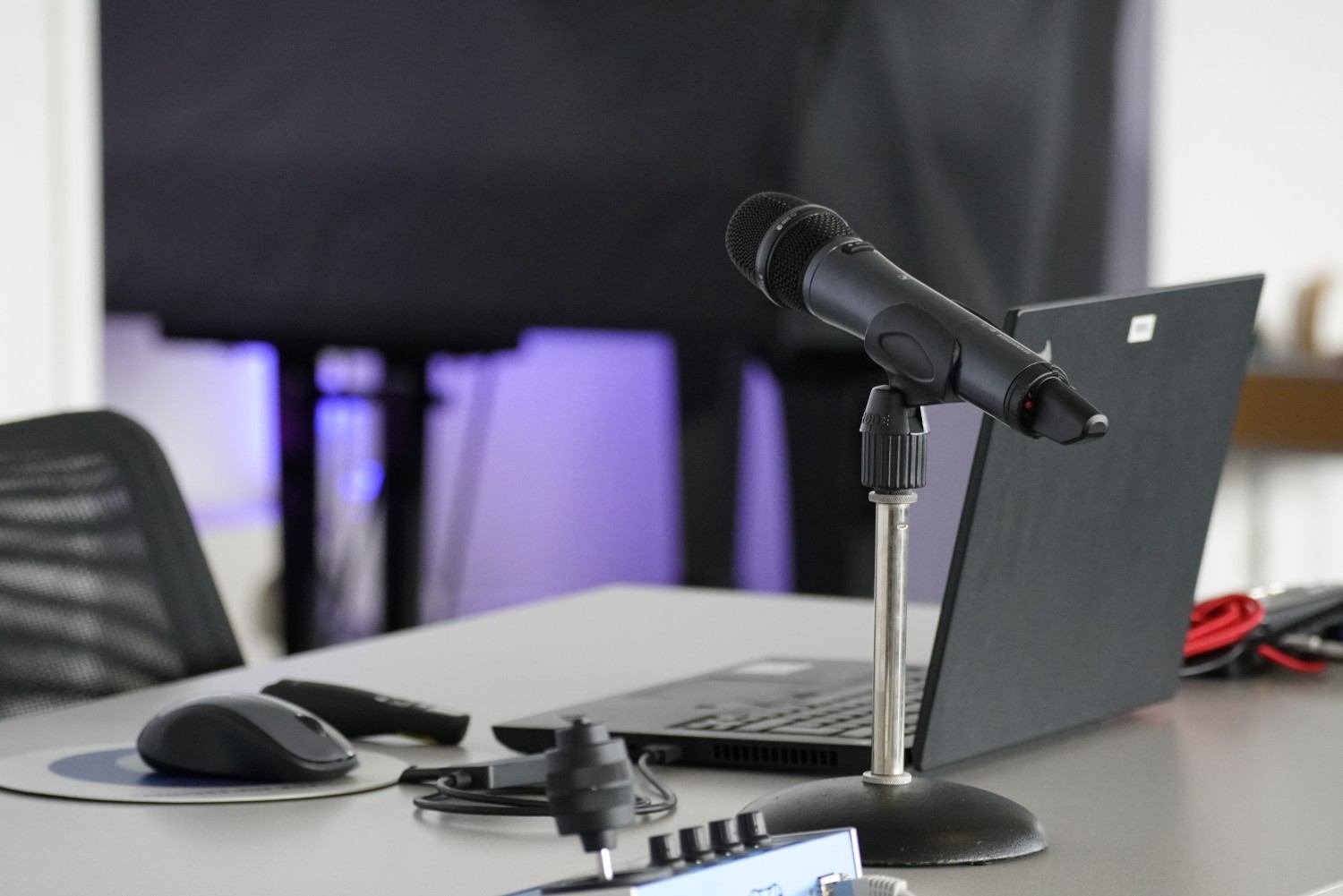
As a practical starting point, I position a desktop microphone roughly 4 to 6 inches from my mouth. Keeping it close allows me to use less gain, which can reduce room echo and distant background sounds.
I avoid putting the microphone on the opposite side of a large desk and then increasing sensitivity just so it can hear me. That setup often captures the entire room.
I also keep the keyboard behind or away from the microphone’s most sensitive pickup area whenever possible.
Should I Use Cardioid Mode for Remote Meetings?
For one-person video calls, cardioid is usually my preferred pickup pattern.
A cardioid microphone focuses primarily on sound from its front and rejects more sound arriving from the sides and rear. RØDE and Samson both describe this directional behavior in their microphone documentation.
That makes cardioid particularly useful when the best USB microphone for remote meetings needs to handle typing, fans, room reflections, or other sounds around a home-office desk.
For a group sitting around one microphone, however, an omnidirectional conference microphone may be more appropriate. Cardioid is strongest when one person is speaking directly toward the microphone.
Should I Plug a USB Microphone Into a Hub?
Whenever practical, I connect a microphone directly to my computer.
UCSF’s instructions for its Blue Yeti Nano setup tell users to connect the supplied USB cable directly to a computer’s USB port. A direct connection also removes one potential troubleshooting variable if I experience disconnects, device-recognition problems, or inconsistent audio.
A quality powered USB hub can work, so I would not say every hub automatically causes microphone problems. Still, if a microphone behaves unpredictably, bypassing the hub is one of the first troubleshooting steps I would try.
Is a Dynamic or Condenser Microphone Better for Video Calls?
I choose based on the room.
A condenser microphone such as the RØDE NT-USB Mini or Elgato Wave:3 can capture detailed, natural speech and works particularly well in a controlled home office.
A dynamic model such as the Samson Q2U can make more sense in a noisy or acoustically untreated environment because it is less sensitive to distant sound.
The microphone type matters, but placement matters just as much. A properly positioned affordable microphone can outperform an expensive model sitting two feet away.
FAQs About USB Microphones for Remote Work
1. What is the best USB microphone for remote meetings?
For many individual remote workers, I would consider the RØDE NT-USB Mini for a quiet professional office, the HyperX SoloCast for budget-conscious users, and the Samson Q2U for noisier environments. The right choice depends on background noise, desk space, and how close you are comfortable sitting to the microphone.
2. Does a USB microphone work with Zoom, Teams, and Google Meet?
Generally, yes. A compatible USB microphone appears as an audio input device on the computer. I still check the audio settings inside each conferencing app to make sure it has not switched back to the laptop microphone.
3. How do I stop my microphone from picking up keyboard typing?
I move the microphone closer to my mouth, reduce gain, use cardioid mode when appropriate, and position the keyboard away from the microphone’s strongest pickup direction.
4. Is a USB microphone better than a headset for remote work?
A desktop USB microphone can provide a fuller voice and lets me attend meetings without wearing a headset all day. A headset can be more practical when privacy, mobility, or a consistently close microphone position matters.
Final Thoughts
I would never choose a home-office microphone purely by sample rate, bit depth, or brand popularity. I first consider my room, keyboard noise, desk space, meeting platform, and how much control I actually need.
For most remote professionals, clear voice reproduction, a cardioid pickup pattern, reliable mute controls, good positioning, and simple USB connectivity provide more real-world value than studio-oriented extras. Keep the microphone roughly 4 to 6 inches away as a starting point, lower the gain rather than placing it across the room, and connect directly to the computer when troubleshooting connection issues.
Those small adjustments can make an affordable microphone sound considerably more professional on Zoom, Teams, Google Meet, and everyday client calls.
Leave a Reply