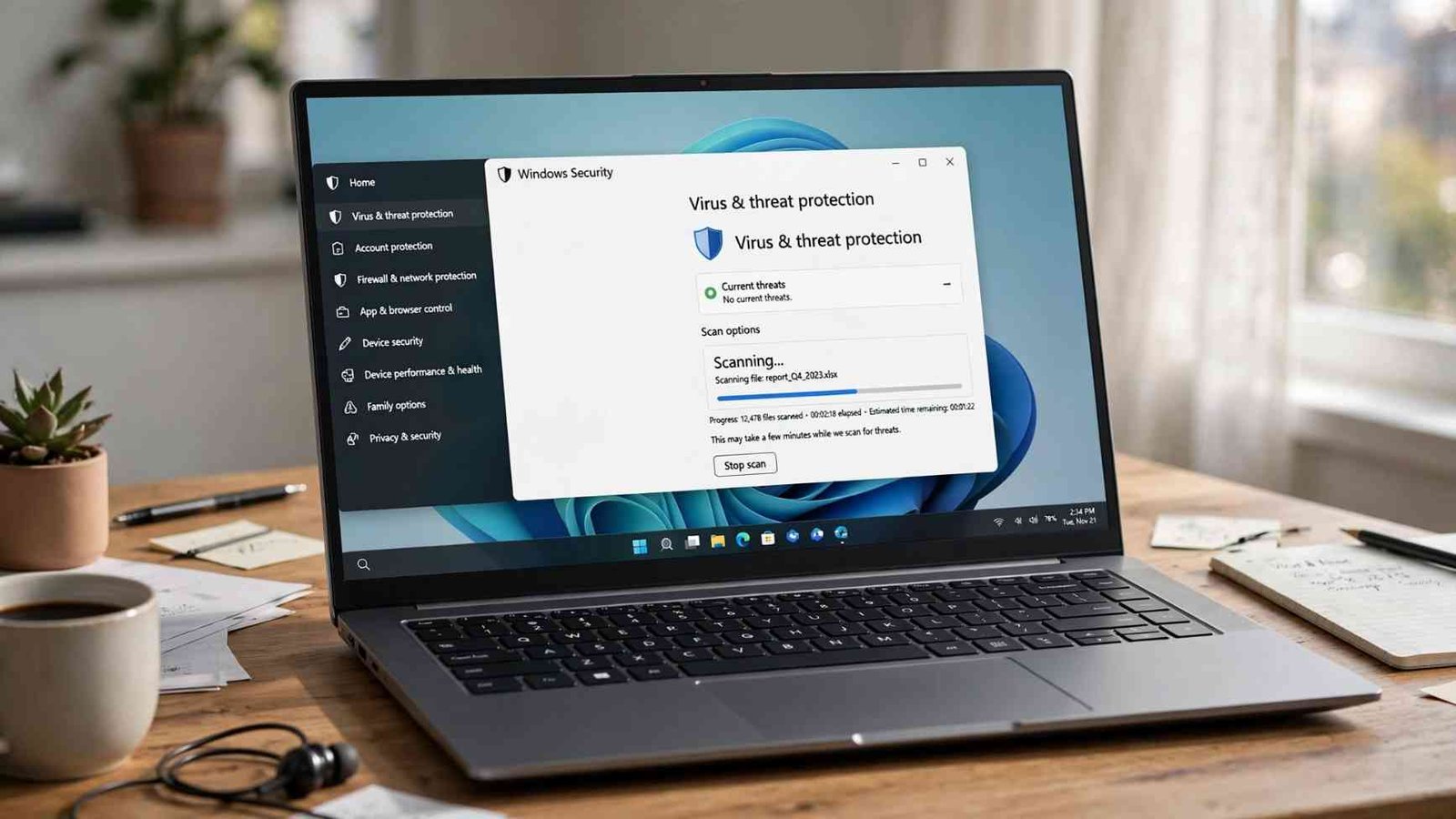
A file does not need to look suspicious to be dangerous. A normal-looking PDF, ZIP archive, installer, spreadsheet, or Word document can carry malicious code, and the damage may begin only after the file is opened or executed.
That is why learning how to scan a file before opening it is more useful than relying on a browser warning alone. On a Windows PC, the fastest method is usually to right-click the downloaded file and scan it with Microsoft Defender or your installed antivirus program. For questionable downloads, however, I would add several checks before trusting the result.
Why Scan a Download Before Opening It?
Malware frequently reaches computers through downloads, phishing attachments, fake software installers, and links designed to imitate legitimate services.
The Federal Trade Commission warns that unexpected attachments and links can install malware and recommends contacting the supposed sender through a known, legitimate method instead of trusting the information inside the message.
Universities give similar advice. The University of Pennsylvania recommends running downloaded files through antivirus software before opening or installing them, particularly when you cannot verify exactly who supplied the file.
Scanning therefore adds a checkpoint between downloading something and giving it permission to interact with your computer.
The Safest Pre-Open File Check
A useful routine involves more than pressing one scan button.
| Check | What to do | What it can reveal |
| Verify the source | Confirm the website or sender independently | Phishing and fake downloads |
| Check the extension | Look for .exe, .msi, .js, .bat, .scr and unexpected archive formats | Executable or disguised content |
| Run local antivirus | Scan with Defender or another security program | Known malware signatures and suspicious behavior |
| Get a second opinion | Check a non-sensitive suspicious file with a multi-engine service | Detection differences between engines |
| Stop if uncertain | Delete or quarantine instead of opening | Prevents unnecessary exposure |
The order matters. Antivirus should support good judgment, not replace it.
Step 1: Inspect the File Without Opening It

Start in File Explorer rather than double-clicking the download.
Look carefully at its full filename and extension. If you expected a photograph but received photo.jpg.exe, for example, you have an executable program rather than an ordinary JPEG.
Windows may hide extensions for known file types, so enabling file-name extensions in File Explorer can make these tricks easier to spot.
Also ask where the file came from. Was it downloaded directly from the software developer, a government agency, your bank, or another known organization? Or did it arrive through an advertisement, shortened link, unsolicited message, or unfamiliar download portal?
The FTC advises downloading software only from websites you know and trust because apparently free downloads can conceal unwanted or malicious programs.
Step 2: Scan a File With Microsoft Defender
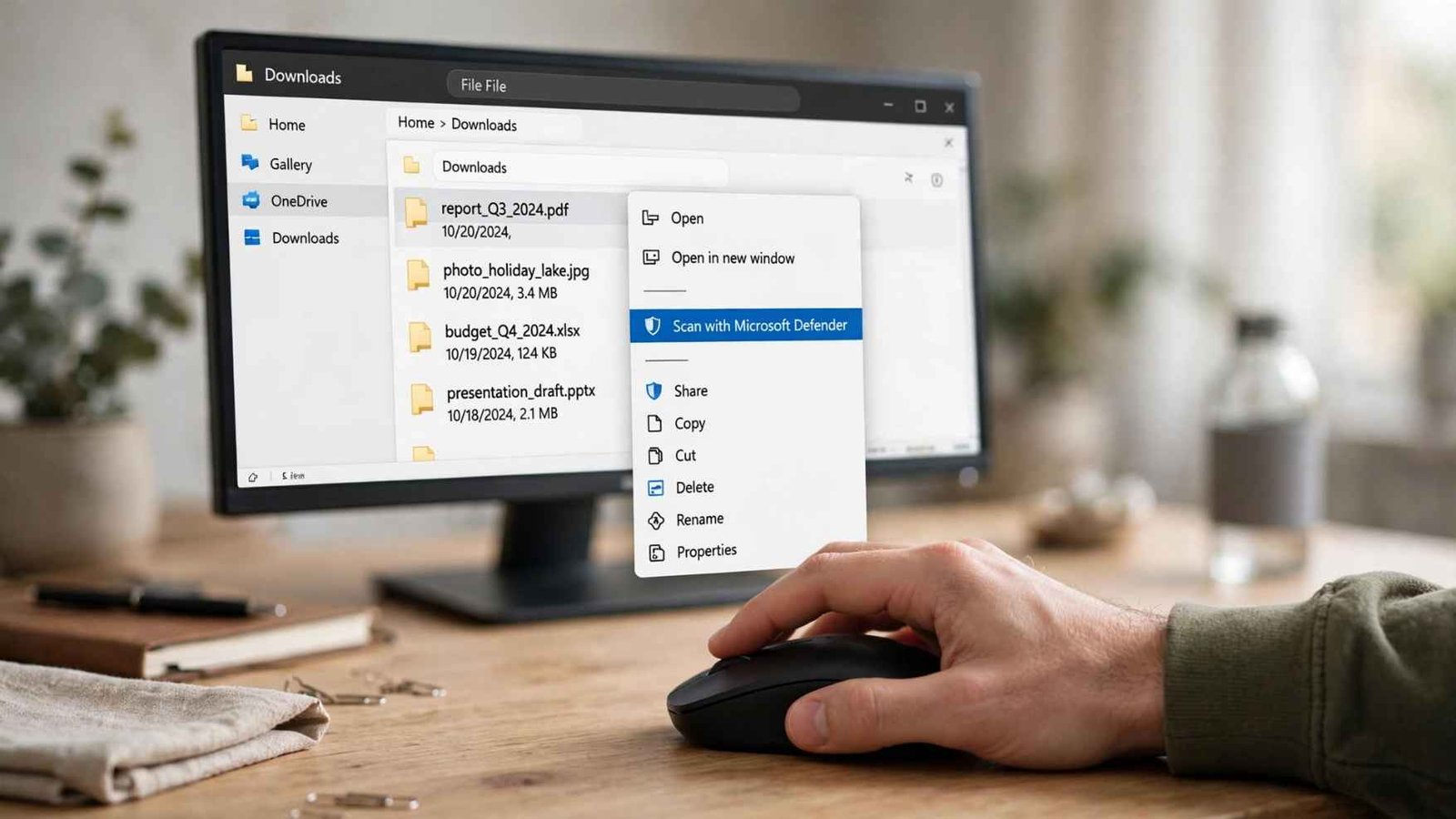
Windows 11 users can usually perform a targeted scan directly from File Explorer.
Locate the file, right-click it, choose “Show more options” if necessary, and select “Scan with Microsoft Defender.” Windows checks the selected item and displays the result when the scan finishes.
If you use another antivirus suite, its scanning option may appear in the same right-click menu under the product’s name.
Before relying on the result, make sure security updates are current. Malware detection depends partly on security intelligence that changes as new threats are identified.
The University of Rochester recommends keeping antivirus software updated and scanning attachments and web downloads before opening them. It also stresses an important limitation: virus scanners cannot identify every threat.
What if the Right-Click Scan Option Is Missing?
Open Windows Security manually and check Virus & threat protection.
A third-party antivirus program may have become the primary security provider, in which case Microsoft Defender’s normal context-menu behavior can change. Use the active antivirus application’s file-scanning feature instead of assuming nothing is protecting the PC.
If the entire computer has started behaving strangely, scanning one download may not be sufficient. A full or offline system scan is more appropriate when infection is already suspected.
Step 3: Use a Multi-Engine Scanner for a Second Opinion
A service such as VirusTotal can analyze a file using results from multiple security engines. This is useful when a download passes your local antivirus scan but still seems questionable.
One detection does not automatically prove malware is present. Security products sometimes produce false positives. Likewise, zero detections cannot guarantee that a newly created or highly targeted threat is harmless.
The number of detections should therefore be interpreted alongside the source, filename, digital signature, file behavior, and reason you downloaded it.
There is also a privacy issue that deserves more attention. VirusTotal states that material submitted through its standard scanning service can enter its dataset and warns against submitting sensitive, confidential, or personally identifiable information.
Do not upload private tax records, medical documents, business contracts, proprietary software, personal photographs, or files containing account information simply to obtain another malware opinion.
Step 4: Treat Email Attachments More Strictly
Email changes the risk calculation because attackers can impersonate people or organizations you already know.
An invoice may appear to come from a supplier. A ZIP attachment may appear to come from a coworker. A document may even arrive from the genuine account of someone whose email has been compromised.
If an attachment is unexpected, verify it through another channel before opening it. CISA has documented malware campaigns that spread through malicious email attachments and links, illustrating why apparently ordinary files deserve additional scrutiny.
If somebody supposedly sends you an important financial spreadsheet out of nowhere, calling or messaging that person separately may provide more protection than performing three antivirus scans.
Be Extra Careful With ZIPs and Installers
Compressed archives deserve special attention because they can contain several files and nested folders.
Scan the downloaded ZIP first. After extracting it, scan the extracted folder again before running anything inside it.
If you are also working with demanding applications or large media projects, knowing how much RAM you need for video editing workstations can help you avoid confusing system performance issues with problems caused by suspicious software.
Pay particular attention to executable files, scripts, shortcuts, password-protected archives, and installers.
Installation files have greater potential impact because you are deliberately allowing software to make changes to the computer.
Before running one, check that you downloaded it from the publisher’s official website and look at the publisher information shown by Windows.
This habit becomes even more valuable if you regularly download drivers, benchmarking utilities, firmware tools, or software associated with PC upgrades such as a PCIe graphics card bottleneck analysis.
Why a Clean Scan Is Not Proof of Safety
Antivirus tools are defensive filters, not mathematical proof.
New malware can appear before detection databases recognize it.
If your computer is also showing unusual device or connection problems, you may need to fix a printer that shows offline before assuming every warning is caused by malware.
Attackers can modify existing malicious programs, and some threats are designed specifically to avoid automated analysis.
Yale University recommends current antivirus protection for personal devices and identifies Microsoft Defender as an option for modern Windows systems, reinforcing the importance of maintaining an active security layer rather than performing occasional manual checks alone. Yale University malware protection advice.
A scan should therefore answer, “Did my security software find something wrong?” It cannot conclusively answer, “Is nothing wrong?”
Frequently Asked Questions
1. Can I scan a file without opening it?
Yes. Right-click the file in Windows File Explorer and use Microsoft Defender or your installed antivirus program’s scan command. This checks the file without intentionally executing it.
2. Does how to scan a file before opening it work for ZIP files?
Yes. Scan the archive first, then extract it and scan the resulting folder again. Avoid running unexpected executables or scripts found inside.
3. Is a file safe if antivirus finds nothing?
Not necessarily. A clean scan means the scanner did not detect a known problem. New malware, modified threats, and false negatives remain possible.
4. Should I upload every suspicious file to VirusTotal?
No. Avoid uploading confidential, personal, proprietary, or otherwise sensitive files to standard public analysis services. Use your local security software instead.
A Safer Habit Than Double-Clicking
The most valuable security step happens before a file is allowed to run. I would treat downloading and opening as two separate decisions. First verify where the file came from, inspect its type, and scan it locally. Use a second opinion for genuinely questionable non-sensitive downloads, and treat unexpected attachments with particular suspicion.
No scanner can promise that every clean result represents a harmless file. But combining verification, updated protection, targeted scanning, and a willingness to delete something you do not trust creates a much stronger barrier than opening first and investigating afterward.
Leave a Reply