
Deleting a file does not always erase its contents immediately. On many traditional hard drives, deletion primarily tells the file system that the space can be reused. Until new data occupies that space, recovery may still be possible.
That is why the first rule for how to recover deleted files from an external hard drive is surprisingly simple: stop using the drive. Do not copy files onto it, format it, defragment it, run repair utilities, or install recovery software on it. Every new write can replace pieces of the files you are trying to recover.
Why Deleted Files Can Sometimes Come Back
A hard drive needs a way to keep track of where every document, photo, video, and folder lives. File systems such as NTFS, exFAT, FAT32, APFS, and others maintain records describing those locations.
Deleting a file often changes those records before every underlying bit is physically overwritten.
The University of Kansas explains that conventional file deletion can remove a file-system reference while data remains until storage space is reused. NIST approaches the same issue from the opposite direction: its current media-sanitization guidance explains that deliberately overwriting storage locations is used specifically to make target data significantly harder to retrieve.
That gives recovery its narrow window of opportunity. If you deleted a 10 GB photo archive and then copied 200 GB of new video onto the same drive, the probability of complete recovery may fall sharply because some of the old sectors could have been reused.
How to Recover Deleted Files From an External Hard Drive Step by Step

1. Disconnect the Drive Until You Are Ready
After realizing files are missing, eject the external drive safely and leave it disconnected while you prepare.
Repeated browsing, syncing, editing, or downloading to the drive can create additional writes. The safest recovery drive is one that has changed as little as possible since the deletion.
2. Check Recycle Bin or Trash
Reconnect the drive and check Windows Recycle Bin or macOS Trash before performing a full scan.
Depending on how the files were removed, the operating system and file system involved, recently deleted items may still be recoverable through ordinary deletion mechanisms. If the files are there, restoring them is safer and faster than scanning the entire disk.
Do not assume this will work after permanent deletion, formatting, or an emptied Trash or Recycle Bin.
3. Install Recovery Software Somewhere Else
This detail matters more than the brand of software you choose. Install the recovery program on your computer’s internal SSD or another healthy storage device. Never install it onto the external drive containing the lost data.
Popular choices include Disk Drill, Recuva, EaseUS Data Recovery Wizard, PhotoRec, and TestDisk. Their interfaces and free-recovery limits vary, but the underlying principle is similar: scan unused or damaged file-system structures and identify recoverable data.
The open-source TestDisk documentation notes that deleted FAT and exFAT files can remain recoverable when their data areas have not yet been overwritten.
4. Select the Entire Physical Drive
Launch your chosen recovery application and locate the external disk by its capacity and model information.
Be careful if several drives have similar names. Scanning the wrong disk wastes time, while accidentally performing operations on the affected disk can make recovery more complicated.
Start with a normal or quick scan if the deletion was recent. If that fails, run the software’s deeper scan.
Deep scanning generally takes longer because the program examines much more of the storage surface rather than relying solely on existing file-system records.
5. Preview Before Recovering Everything
Good recovery tools often let you preview photos, documents, audio, or other recognizable files.
Previewing serves an important purpose: finding a filename does not guarantee the file itself is intact. A deleted directory entry may survive even though part of its content has already been overwritten.
Prioritize irreplaceable material first—family photos, business files, creative projects, tax documents, research, and anything without another copy.
6. Recover Files to a Different Drive
Never restore recovered files back onto the damaged or deleted-data drive during the recovery process.
Save them to your computer’s internal storage or another external disk with enough free capacity. Writing recovered files onto the source drive could overwrite other recoverable files that have not been extracted yet.
If you regularly transfer large photo libraries between storage devices, choosing a reliable memory card reader for photographers can also reduce interruptions and transfer problems during your normal workflow.
7. Verify the Recovered Data
A recovery application’s “successful” message is not the end of the job.
Open several recovered photos. Play videos from beginning to end. Test ZIP archives. Open spreadsheets and documents. Compare file sizes where possible.
Only after confirming that your important files are readable should you repair, reformat, or repurpose the original drive.
What Not to Do After Accidental Deletion
Avoid formatting simply because Windows says the disk needs to be formatted before use. Formatting changes file-system information and can complicate recovery.
Do not immediately run CHKDSK, Disk Utility repairs, partition-writing utilities, or other tools that modify disk structures either. File-system repair and file recovery have different goals. Repair software may modify metadata in ways that are undesirable before your missing data has been extracted.
Secure-erasure utilities are even more dangerous in this situation. Stanford University notes that overwriting utilities are specifically intended to prevent previously deleted information from being recovered.
The University of Pennsylvania similarly explains that overwriting storage is a method of making deleted information unrecoverable.
In other words, the tools used to protect privacy before disposing of a drive are exactly the tools you do not want during data recovery.
HDD Recovery and External SSD Recovery Are Not Identical

Traditional magnetic hard drives often offer the most straightforward deleted-file recovery scenario because deleted sectors may retain old data until overwritten. External SSDs are different.
Flash storage uses controllers, garbage collection, wear leveling, and potentially TRIM-related mechanisms. Depending on the SSD, USB bridge, operating system, and commands supported by the enclosure, deleted blocks may become inaccessible sooner than they would on a conventional HDD.
That means a deleted file from an external SSD should never be assumed recoverable merely because nothing new has been manually copied onto the drive.
When Professional Recovery Makes More Sense
Software recovery is reasonable when the external disk is healthy, recognized consistently, and the problem appears to be accidental deletion, formatting, or file-system damage.
Stop DIY attempts if the drive clicks, grinds, repeatedly spins up and down, vanishes during scans, was dropped while operating, suffered liquid damage, or contains extremely valuable data for which you have no backup.
Repeated attempts on physically failing hardware can turn a recoverable problem into a harder one.
For critical business or personal information, paying for a professional evaluation before stressing the drive further can be the safer decision.
Preventing the Next Recovery Emergency
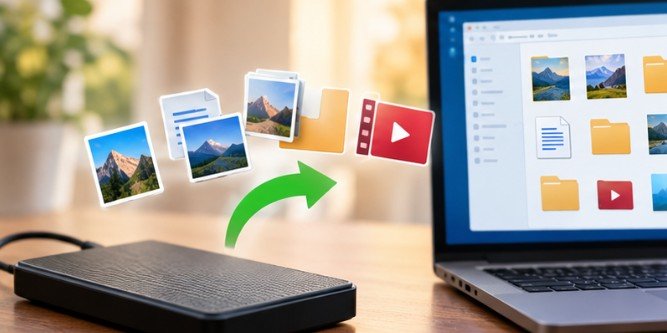
Recovery software should be your safety net, not your backup strategy. Keep important files in more than one location. For example, maintain your working copy, an independent local backup, and another protected copy such as cloud or off-site storage.
University backup programs illustrate the same principle: backups and snapshots provide a separate path for restoring deleted information rather than depending on forensic recovery after the original storage has changed.
If you are replacing a computer, planning how to move files from an old PC to a new PC before retiring the old system also reduces the chance of discovering missing files after the original drive has been erased.
FAQs
1. Can permanently deleted files be recovered from an external hard drive?
Sometimes. Deleted files may remain recoverable until their storage sectors are overwritten. Recovery chances depend on the drive type, file system, subsequent writes, formatting, and physical condition.
2. Is it safe to recover files back to the same external drive?
No. Recover recovered files to another disk. Writing them to the source drive could overwrite additional deleted data that recovery software has not yet extracted.
3. Can files be recovered after formatting an external hard drive?
Sometimes. A quick format may leave recoverable data, while overwriting, secure erasure, SSD behavior, or extensive reuse can significantly reduce recovery prospects.
4. Should I use recovery software on a clicking hard drive?
Usually not. Clicking, grinding, repeated disconnections, or failure to spin correctly may indicate hardware damage. Important data is generally safer with a professional recovery service.
The First Few Actions Matter Most
Learning how to recover deleted files from an external hard drive is less about finding a magical undelete button than protecting whatever data still survives.
Stop writing to the disk. Check simple recovery options first. Install recovery software somewhere else, scan carefully, and save recovered files to another device. If the drive shows physical failure symptoms, stop before software troubleshooting makes the situation worse.
Deleted data can sometimes survive longer than expected—but only until something replaces it. The best recovery decision is often the one you make immediately after realizing the files are gone.
Leave a Reply