Hours of clicking, scrolling, and dragging can quietly add up, especially when your mouse forces your hand into the same position all day. What starts as mild discomfort can become noticeable wrist fatigue, finger tension, or soreness by the end of a long work session.
Choosing an ergonomic mouse for wrist strain can make everyday computer use feel more comfortable by changing how your hand and forearm rest while you work. For US office workers, remote professionals, students, designers, and anyone who spends several hours at a computer, the right mouse should fit the hand properly, reduce unnecessary gripping, and keep movement as natural as possible.
The key is knowing which design actually suits you. Vertical mice, trackballs, sculpted models, and adjustable options all work differently, so the best choice depends on your hand size, grip style, desk setup, and where you tend to feel strain.
How Does an Ergonomic Mouse Change Your Wrist Position?
A conventional mouse normally places the palm downward. A vertical mouse rotates the hand toward a more handshake-like position, changing the amount of forearm pronation required while pointing and clicking.
That does not mean every vertical mouse automatically eliminates wrist pain. Research involving people with carpal tunnel syndrome found that a vertical mouse changed wrist positioning but did not significantly reduce carpal tunnel pressure. That is why I would look at an ergonomic mouse as a comfort and workstation tool rather than a treatment for a medical condition.
OSHA also emphasizes maintaining a straight, neutral wrist position and choosing a pointing device that fits the hand and requires minimal force to operate.
Is a Vertical Mouse Better for Wrist Pain?
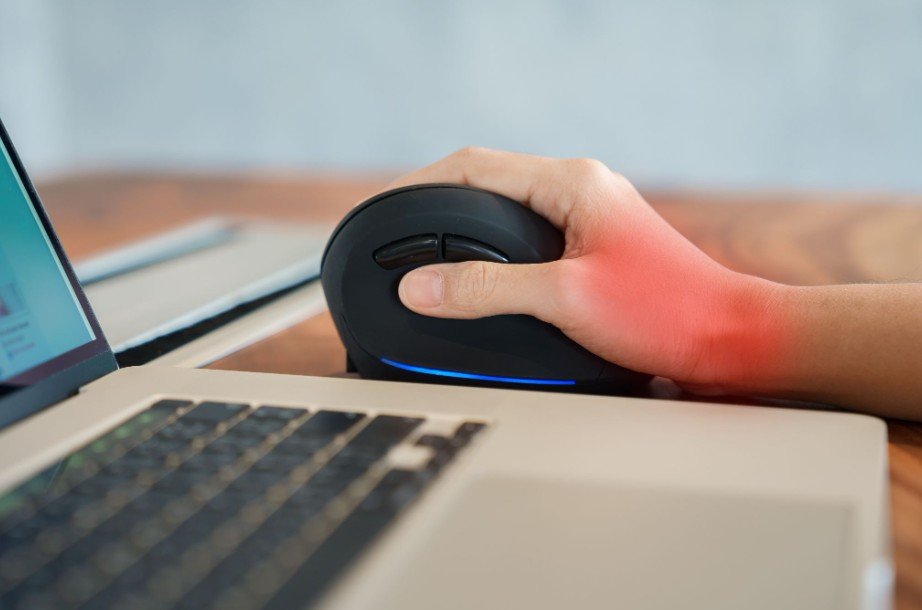
A vertical mouse can be a good choice when the palm-down position of a standard mouse feels uncomfortable.
Instead of rotating the forearm fully toward the desk, the vertical design places the hand at an angle. Some models use a moderate tilt, while others create an almost upright grip.
I would not automatically choose the steepest angle available. A more vertical position is not necessarily a better position for every person. Hand size, thumb placement, grip preference, desk height, and wrist mobility can all affect comfort.
The most useful vertical mouse is usually the one that lets you operate the buttons without stretching your fingers or squeezing the body of the mouse.
Vertical Mouse vs Trackball: Which Is Better for Wrist Strain?
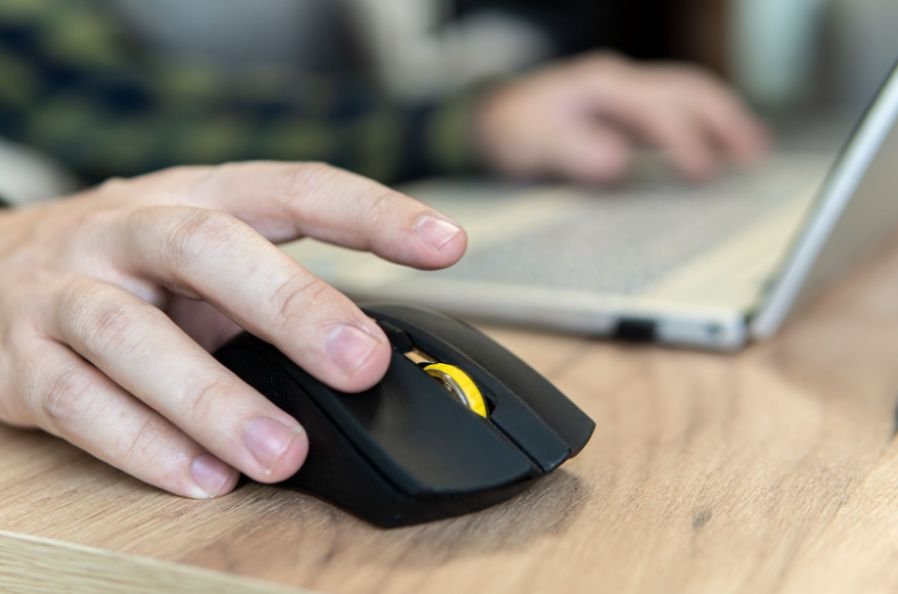
This comparison matters because these two designs solve different ergonomic problems.
A vertical mouse still moves across your mouse pad, but it changes the orientation of your hand and forearm. It may feel more familiar if you already use a conventional mouse.
A trackball remains stationary while you control the pointer by rolling a ball with your thumb or fingers. This can reduce the amount of reaching and repeated arm movement required at the desk.
OSHA lists trackballs and other alternative pointing devices as options that may feel less fatiguing for certain tasks, particularly when the device fits the user’s hand and reduces awkward wrist bending.
If forearm rotation bothers me most, I would investigate a vertical mouse first. If repeatedly moving the entire mouse causes discomfort, I would consider a trackball.
How Should an Ergonomic Mouse Fit Your Hand?
Mouse size deserves much more attention than it usually gets.
The same attention to fit and positioning applies to keyboards, and an ergonomic keyboard for programmers can help create a more comfortable setup for long hours of computer use.
A device that is too large may force you to stretch your fingers toward the buttons. A mouse that is too small can leave your palm unsupported or encourage excessive fingertip control.
I look for a shape that lets my palm rest naturally while keeping the primary buttons and scroll wheel within easy reach.
This becomes particularly important with bulky vertical mice. If the body is too large for your hand, you may unconsciously grip it harder to maintain control. That extra-tight grip can increase finger and hand tension rather than improving comfort.
OSHA recommends testing pointing devices before long-term use and selecting a size and shape that fit the hand properly.
How Long Does It Take to Get Used to a Vertical Mouse?
Grip adaptation is normal.
Moving from a flat mouse to a vertical layout changes how you position your thumb, fingers, wrist, and forearm. I would not expect the new grip to feel completely natural during the first few minutes.
For many users, regular everyday use over the first few days makes the mouse feel progressively more familiar. Starting with browsing, email, spreadsheets, and other routine tasks can make the transition easier before attempting precision-heavy work.
During that adaptation period, I would pay attention to grip pressure. If I find myself squeezing the mouse tightly, struggling to reach buttons, or constantly adjusting my fingers, I would question whether the mouse is the wrong size rather than assuming I simply need more practice.
Can Mouse Sensitivity Reduce Wrist Movement?
Pointer sensitivity can make a surprisingly large difference.
When sensitivity is extremely low, you may need to move the mouse farther across the desk to travel from one side of the screen to the other.
If the computer itself feels sluggish during everyday tasks, it may also be useful to tell if a slow PC needs more RAM or a faster SSD before changing your mouse or other peripherals.
A moderate increase can reduce unnecessary physical movement.
However, extremely high sensitivity may require excessive finger control to keep the pointer accurate. OSHA specifically notes that poorly adjusted sensitivity can encourage forceful or awkward hand movements.
I would adjust DPI or pointer speed gradually until I can reach the entire screen without making large movements while still maintaining accurate control.
Where Should You Place Your Mouse to Reduce Wrist Strain?
Even an expensive ergonomic mouse can feel uncomfortable when it sits in the wrong place.
Keep the mouse close to the keyboard rather than reaching far to the side. Mayo Clinic recommends keeping the wrists straight, upper arms close to the body, shoulders relaxed, and hands around or slightly below elbow level while using a mouse or keyboard.
I also prefer keeping the mouse and keyboard on the same work surface. Constantly reaching upward, downward, or sideways can undermine the benefits of switching mouse designs.
Desk height, chair height, keyboard width, and monitor placement all contribute to overall computer ergonomics.
For a more organized workspace, a best portable scanner for home office can also help digitize documents without adding unnecessary equipment to the desk.
Should You Use a Wrist Rest With an Ergonomic Mouse?
A wrist or palm support can improve comfort when used correctly, but I would avoid pressing the sensitive underside of my wrist against a hard surface for hours.
OSHA recommends that, during rest, support should generally contact the heel or palm rather than creating direct pressure on the wrist. It also recommends coordinating wrist supports with the rest of the workstation so the wrists remain relatively straight.
A soft support may help some users, but it should complement proper mouse positioning rather than compensate for an incorrectly placed desk or chair.
Can an Ergonomic Mouse Help With Carpal Tunnel Symptoms?

An ergonomic mouse can change hand and wrist positioning, but I would be careful about claims that it can cure carpal tunnel syndrome.
Mayo Clinic recommends keeping the wrist in a relaxed middle position and using a mouse that is easy to operate without straining the wrist. It also advises paying attention to persistent symptoms associated with carpal tunnel syndrome.
If you experience continuing numbness, tingling, weakness, nighttime symptoms, or significant pain, professional medical evaluation is more appropriate than relying only on a new mouse.
Frequently Asked Questions
1. Is a vertical mouse good for all-day office work?
It can be, provided the mouse fits your hand and allows you to click and scroll without excessive gripping. Comfort during extended work depends on mouse shape, desk position, sensitivity, and your individual grip.
2. Is a trackball better than a regular mouse for wrist comfort?
A trackball reduces how much you need to move the device across the desk. That can help people who prefer less arm movement, although thumb-operated and finger-operated trackballs can feel very different.
3. Should I choose a large or small ergonomic mouse?
Choose based on your hand dimensions rather than assuming larger means more supportive. Your fingers should comfortably reach the primary controls without stretching or squeezing.
4. Can a mouse cause finger strain?
A poorly fitting mouse may encourage excessive gripping, finger stretching, or forceful clicking. Matching the device to your hand and using a relaxed grip can help reduce unnecessary tension.
A More Comfortable Way to Work
After comparing vertical mice, trackballs, grip styles, mouse sizes, and workstation positioning, I would choose comfort and fit before extra buttons or premium features.
The best ergonomic mouse for wrist strain should let your hand stay relaxed, keep important controls within easy reach, and avoid forcing you to twist, stretch, or squeeze the device. Give yourself time to adapt to a new grip, adjust pointer sensitivity, and keep the mouse close to your keyboard.
Most importantly, remember that the mouse is only one part of a comfortable workstation. Your chair, desk, keyboard, monitor position, working habits, and regular movement all contribute to how your hands and wrists feel after a long day.
Leave a Reply