
Internet access should not determine whether you can reach your own ideas. That sounds obvious, yet many modern productivity apps quietly depend on cloud servers for loading pages, searching old material, or accessing attachments. The right note taking software that works offline takes a different approach: your notes remain usable on the device even when Wi-Fi disappears, a server goes down, or you deliberately disconnect.
For students, frequent travelers, field workers, researchers, and anyone with unreliable connectivity, that difference matters. Offline access can also improve data ownership because some applications keep complete local copies instead of treating your computer as little more than a window into a cloud account. So which apps actually handle offline work well?
What Does “Works Offline” Really Mean in a Note App?
An app should do more than simply open without internet access.
A genuinely useful offline note-taking application should let you create, edit, organize, search, and reopen existing notes without contacting a remote server. Ideally, attachments and important files should also remain accessible.
Sync is a separate issue.
An offline-first app may save everything locally while disconnected and upload changes later. That’s different from a web-first tool that needs a connection to retrieve most of its content.
Joplin explicitly describes itself as “offline first,” meaning its data remains available locally whether a connection exists or not. Obsidian follows an even more file-oriented approach, storing notes in folders on your device and allowing sync to be added separately.
The Best Offline Note-Taking Apps Compared
Different users need different forms of offline access. A researcher building a personal knowledge base has very different requirements from a college student who simply wants organized class notes.
| App | Best For | Offline Approach | Key Advantage |
| Obsidian | Power users and knowledge management | Local Markdown files | Strong ownership and portability |
| Joplin | Open-source users | Offline-first local database | Flexible sync and encryption |
| UpNote | Everyday note-taking | Local notes with optional sync | Simple, polished interface |
| Standard Notes | Privacy-focused users | Local encrypted processing | Strong encryption model |
| Notesnook | Privacy plus modern organization | Local database and encrypted sync | Security-focused design |
| OneNote | Traditional digital notebooks | Locally cached notebook content | Familiar Microsoft ecosystem |
Obsidian: Best for Keeping Your Notes as Ordinary Files
Obsidian is one of the strongest choices if long-term ownership matters more than cloud convenience.
Its notes live primarily as Markdown files inside a local folder called a vault. That means your writing is not locked inside an obscure online database. Your files can remain accessible through compatible text editors even if you later stop using Obsidian.
The application itself works without internet access. Sync is optional and can be handled through Obsidian’s own service or other supported approaches.
The tradeoff is complexity. Features such as backlinks, plugins, graphs, and elaborate knowledge-management systems can be extremely useful, but new users may find the ecosystem more involved than a conventional notebook app.
Joplin: A Strong Open-Source Offline Option

Joplin combines traditional notebooks with Markdown, tagging, search, attachments, and synchronization.
More importantly for offline users, Joplin keeps its data locally and describes its architecture as offline first. Changes can later synchronize through services such as Nextcloud, Dropbox, OneDrive, or Joplin Cloud.
It also supports end-to-end encryption for synchronized information, although users need to enable and configure that feature correctly.
That combination makes Joplin appealing to people who want more control than mainstream cloud notebook platforms provide without manually managing folders full of individual files.
UpNote: The Easier Choice for Everyday Writing
Not everybody wants to build a personal knowledge system.
UpNote focuses on straightforward writing, notebooks, tags, rich-text formatting, Markdown support, internal links, and a relatively uncluttered interface.
According to UpNote’s current documentation, users can read and write notes without an internet connection. Changes synchronize after connectivity returns. Users can even continue without creating an account, in which case their notes remain on the local device.
There is an important attachment caveat. Mobile attachments are generally downloaded when needed, meaning an attachment that has never previously been opened may require an internet connection.
That distinction is worth testing before taking UpNote onto a long flight or remote job site.
Standard Notes and Notesnook: Better Choices for Sensitive Notes
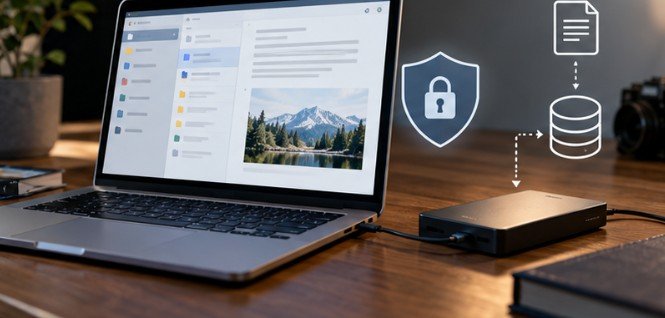
Offline access does not automatically equal privacy. A locally available note could still be readable if someone gains access to an unencrypted laptop. That’s why users storing business information, journals, research material, or other sensitive records should examine encryption as well as connectivity.
Standard Notes encrypts changes on the device before synchronization. Its documentation explains that the encryption and decryption processes occur locally.
Notesnook takes a similar security-focused approach. Notes are encrypted on the device before syncing, while locally stored backups can also be encrypted.
For a broader explanation of why encryption at rest matters, the Electronic Frontier Foundation’s encryption overview explains the difference between protecting information stored on a device and protecting information while it travels across a network.
OneNote Still Makes Sense for Microsoft-Centered Workflows
Microsoft OneNote remains useful for people who prefer familiar notebook, section, and page organization.
Offline editing is supported, with pending changes synchronized after connectivity returns. On iPhone and iPad, Microsoft also provides an option to automatically download page attachments for offline availability.
The important lesson is that offline editing and completely local storage are not necessarily the same thing.
Someone wanting ordinary Markdown files may prefer Obsidian. Someone already living inside Microsoft 365 may find OneNote’s workflow easier.
Use This Five-Minute Offline Test Before Committing
Do not trust an app simply because its website says “offline.”
Install it, add several notes, attach an image or PDF, and allow everything to finish syncing. Then disable Wi-Fi and mobile data.
Try to:
- create a new note;
- edit an existing one;
- search older content;
- open an attachment;
- move a note between folders or notebooks;
- close and reopen the application.
Then reconnect and confirm that your offline edits synchronize without duplication or missing changes.
This simple test exposes limitations marketing pages often overlook.
Students may also want to experiment with how they structure the notes themselves. The Cornell Learning Strategies Center’s note-taking method and the University of Michigan’s note-taking strategies provide useful frameworks independent of any particular app.
Offline Storage Does Not Replace Backups
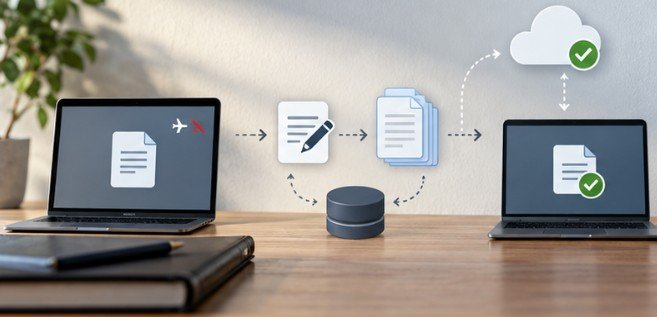
Local-first software has one obvious weakness: your device can fail.
CISA advises users who keep data locally to maintain backups on an external drive or properly vetted cloud service, while avoiding leaving backup drives permanently attached where ransomware could potentially affect them.
You can read the agency’s practical recommendations through its guidance for protecting stored device data. NIST also discusses backup and recovery as a fundamental part of protecting access to important information in its system and data recovery guidance.
A good rule is simple: offline availability protects you from connectivity problems. Backups protect you from hardware problems, deletion, corruption, and some security incidents.
If you maintain or upgrade the computer holding those local files yourself, having a dependable computer tool kit for PC building and maintenance can also make drive replacement and hardware maintenance easier.
Frequently Asked Questions
1. Can I take notes completely offline?
Yes. Apps such as Obsidian, Joplin, and UpNote allow local note creation and editing without an active internet connection. Syncing normally resumes when connectivity returns.
2. Is offline note-taking safer than cloud note-taking?
Not automatically. Local storage reduces cloud dependence, but device theft or malware can still expose data. Device encryption and regular backups remain important.
3. Does Obsidian require internet access?
No. Obsidian stores vaults locally and can be used offline. Internet access is mainly required for online services, downloading plugins, updates, or synchronization methods that depend on the internet.
4. What happens to offline edits when I reconnect?
In apps with synchronization, locally saved changes generally upload when connectivity returns. Test synchronization before relying on an app for critical work because conflict handling varies between products.
A Better Way to Think About Offline Notes
The biggest advantage of offline software is not simply surviving a dead Wi-Fi connection. It is knowing that losing access to a company’s server does not immediately mean losing access to your thinking.
Before choosing an app, disconnect your computer and test it yourself. Check notes, search, attachments, exports, encryption, and backups. The best setup usually combines reliable local access with optional synchronization rather than forcing you to choose between the two. Your notes should remain useful wherever you happen to be—even when the internet isn’t.
Leave a Reply