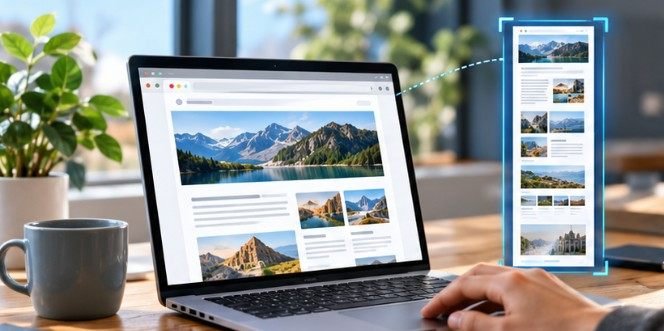
A normal screenshot captures only what fits on your monitor. A full-page capture can preserve an article, receipt, dashboard, design mockup, or support conversation stretching thousands of pixels below the fold in one file.
That distinction is why choosing screenshot software for long web pages matters. The best tool is not necessarily the one with the longest feature list. For occasional captures, your browser may already provide everything you need. Developers, researchers, QA teams, and people documenting complex sites may benefit from dedicated software that handles scrolling elements, sticky menus, editing, and PDF export more reliably.
Why Long Web Pages Are Harder to Capture Than They Look
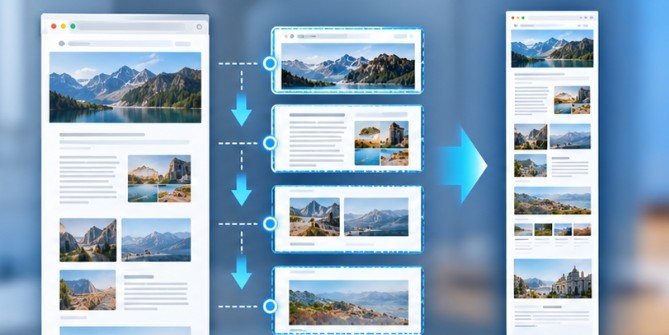
A scrolling screenshot sounds simple: move down the page, photograph each section, and stitch the pieces together.
Modern websites complicate that process. Images may load only after you scroll near them. Navigation bars can remain fixed at the top of the screen. Cookie banners, chat boxes, advertisements, animations, embedded frames, and independently scrolling panels can move or repeat during capture.
That explains why poorly designed scrolling tools sometimes produce duplicated headers, missing images, broken sections, or visible seams.
A useful full-page screenshot tool should therefore do more than capture pixels. It needs to understand how the page changes while scrolling.
Try Your Browser Before Installing Anything
For many US home and office users, the fastest option costs nothing because full-page capture is already available inside popular browsers.
Microsoft Edge Is the Simplest Built-In Option
Microsoft Edge includes a dedicated Screenshot feature. On Windows, pressing Ctrl + Shift + S opens the tool, where Capture full page can create an image containing content extending below the visible browser window. Microsoft says the feature can also capture selected areas and provide markup before saving or copying the result.
That makes Edge particularly convenient for capturing receipts, long articles, troubleshooting pages, and documentation without installing an extension.
Firefox Has an Equally Accessible Full-Page Tool
Firefox users can right-click an empty portion of a webpage and select Take Screenshot, or use Ctrl + Shift + S. Choosing Save full page captures the entire webpage rather than only the visible portion.
Mozilla states that Firefox can save the result as an image or copy it to the clipboard. Mozilla also says its screenshot telemetry records interaction data rather than the page URL or captured image details. Readers concerned about browser-level privacy can review the official.
Chrome Has a Powerful but Hidden Option
Chrome users can open Developer Tools with Ctrl + Shift + I, open the Command Menu with Ctrl + Shift + P, search for “screenshot,” and choose Capture full size screenshot.
It works well on many ordinary pages, but its developer-oriented interface is less convenient for frequent use. Pages relying heavily on lazy loading, fixed elements, or unusual scrolling containers can also require extra preparation.
For one capture every few months, that inconvenience may not matter. For dozens of screenshots every week, it probably will.
Which Screenshot Software Is Worth Installing?
The strongest choice depends on whether you value simplicity, editing, automation, or application-level scrolling.
GoFullPage: Strong for One-Click Browser Capture
GoFullPage automatically works through a webpage and assembles the result into a continuous image. Its official Chrome Web Store listing says it can export captures as images or PDFs and is designed to handle complex webpage structures.
This approach works well for marketers archiving landing pages, designers reviewing websites, researchers saving sources, and developers documenting visual changes.
FireShot: Useful When PDF Export Matters
FireShot captures complete webpages and supports formats including PNG, JPEG, and PDF. Its Chrome listing says captures are processed and stored locally, which may appeal to users working with material they would rather not send through an online screenshot service.
That makes it particularly practical for receipts, order confirmations, research pages, and documentation that may later need printing.
ShareX: The Power-User Choice on Windows
ShareX is free and open source. The project supports standard screen captures as well as scrolling capture and customizable after-capture workflows.
It makes sense when your work goes beyond browsers. For example, someone documenting software bugs may need scrolling screenshots from applications, browser windows, menus, and other interfaces.
The tradeoff is complexity. ShareX exposes far more settings than a one-button browser extension.
Snagit: Better for Documentation Workflows
Snagit supports vertical and horizontal scrolling capture, making it useful for long webpages, tables, software interfaces, and professional documentation. TechSmith confirms that both scrolling directions are supported.
It also demonstrates why no scrolling tool is perfect. TechSmith notes that third-party utilities, security software, browser compatibility, and drivers can interfere with automatic scrolling.
For occasional screenshots, paying for that functionality may be unnecessary. For teams producing training material and technical documentation every day, editing and annotation tools can justify the expense.
Use This 60-Second Test Before Choosing a Tool
Open the longest and most complicated page you regularly need to capture.
First, scroll from top to bottom manually so lazy-loaded photographs, charts, and embedded elements appear. Then run a full-page capture.
Zoom into the resulting file and inspect the header, middle, and bottom. Look for repeated navigation bars, missing images, truncated text, blank sections, overlapping widgets, or stitching lines.
Next, test one page containing an independently scrolling area, such as a chat window or dashboard. If the program captures only the outer webpage, it may not suit your workflow.
Finally, export the result in the format you actually use. A beautiful PNG is not especially helpful when your workflow requires multipage PDFs.
Think About Browser-Extension Permissions Too
Screenshot extensions may need meaningful access to webpage content because that content is precisely what they are capturing.
Cornell University’s IT security guidance recommends treating browser extensions like other installed software because extensions can potentially receive permissions involving webpage data, cookies, or clipboard information. CISA has likewise warned that browser extensions can operate with significant privileges and may potentially access sensitive browser traffic.
For confidential dashboards, financial accounts, employee systems, or customer information, a browser’s built-in capture feature or a reputable locally processing desktop application may therefore be preferable to an unfamiliar extension.
After saving important captures, consider storing them alongside your normal backup routine. Mac users, for example, can follow this process for backing up a Mac to an external drive.
A Screenshot Is Not Always the Right Archive
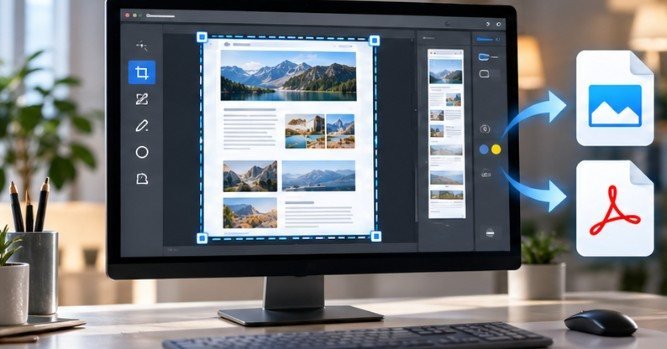
A screenshot preserves appearance, but it removes much of what makes a webpage usable. Text inside an image is generally harder to search, select, translate, resize, or process with assistive technology. The World Wide Web Consortium recommends using actual text instead of images of text whenever possible.
UC Berkeley digital accessibility guidance makes a similar point: text embedded in an image is not machine-readable in the same way normal webpage text is.
If your purpose is long-term research, save the page or PDF alongside the screenshot whenever possible. If you later print that document, these ways to reduce ink use when printing at home can also help keep large archives manageable.
Be Careful What a Full-Page Screenshot Reveals
Long screenshots often capture more than expected. Account names, email addresses, order numbers, sidebar conversations, profile photos, and internal company data may appear far below the section you intended to share.
The Federal Trade Commission reminds users that screenshots can preserve and redistribute online material even when the original content is later removed. Crop or blur sensitive information before sharing the file, and inspect the entire image rather than only its first screen.
FAQ
1. What is the easiest way to screenshot an entire webpage?
Edge and Firefox both provide built-in full-page screenshot tools. They are usually the easiest choices because no additional software or browser extension is required.
2. What is the best free screenshot software for long web pages?
ShareX is a strong free Windows option for advanced scrolling capture, while GoFullPage is simpler for browser-only captures. The better choice depends on whether you need customization or convenience.
3. Why is part of my scrolling screenshot missing?
Lazy-loaded content, embedded frames, animations, fixed menus, or separate scrolling panels can interrupt capture. Scroll through the page first, close floating elements, and try the capture again.
4. Can scrolling screenshots capture private information?
Yes. A long screenshot may include account details or information outside the section you intended to share. Review and redact the entire image before sending it to anyone.
The Best Tool Is the One That Survives a Difficult Page
Choosing screenshot software for long web pages should start with the page, not the product name. Edge and Firefox are enough for many ordinary captures. GoFullPage and FireShot simplify frequent browser work, ShareX gives Windows users deeper control, and Snagit targets professional documentation.
Whatever you choose, test it on a page containing lazy-loaded images, fixed navigation, and embedded content before trusting it for important records. A scrolling screenshot is valuable precisely because it captures what your monitor cannot show at once. The right software should make that invisible portion dependable, readable, and safe to share.
Leave a Reply