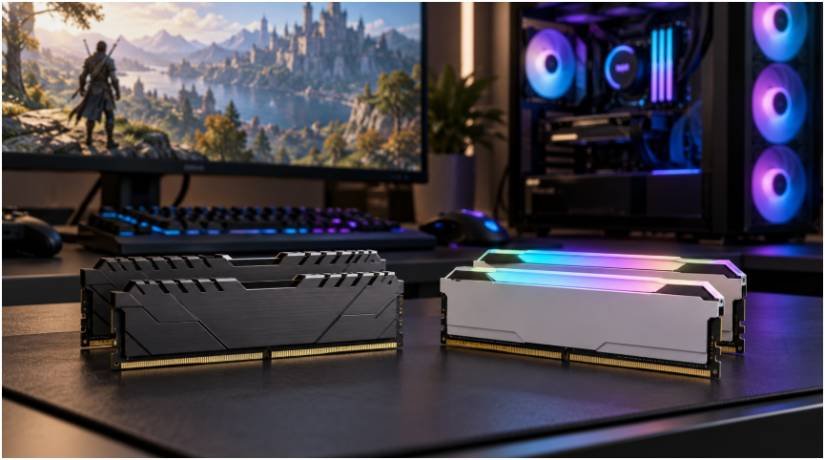
If your games stutter, a faster memory kit sounds like an easy fix. But DDR4 vs DDR5 RAM performance in modern games depends on what is slowing your PC down. A memory upgrade can help a CPU-limited game; it cannot make a graphics card render demanding 4K settings faster.
I would start with the decision many comparisons skip: Can your current motherboard use DDR5 at all? If it cannot, the real purchase is a new motherboard, memory, and possibly a processor. That changes the value calculation.
How much faster is DDR5 in games?
DDR5 offers more bandwidth than DDR4, but there is no dependable “15% to 20% faster” result for every game. Published tests show substantial gains in some CPU-limited conditions and small differences in others. The processor, memory kits, graphics card, and settings all affect the result.
TechSpot’s DDR4 versus DDR5 gaming tests found gains of up to 20% in a heavily CPU-limited game. Its later tests with newer games also showed why a single percentage can mislead: results varied by title and processor. A benchmark figure describes that test setup, not a guaranteed gain for your PC.
| Gaming condition | Likely effect of faster DDR5 | What to check |
| CPU-limited game at 1080p | Gains may be noticeable | Average FPS and 1% lows |
| Mixed CPU and GPU load at 1440p | Results vary by game and settings | Benchmarks using a similar GPU |
| GPU-limited game at 4K | Memory differences often shrink | GPU use and actual frame times |
| System running short of RAM | More capacity may help more than memory speed | RAM use during gameplay |
Do 1% lows improve more than average FPS?
A 1% low describes performance during the slowest portion of measured frames. It can reveal dips hidden by a strong average FPS result. DDR5 may improve those lows when memory bandwidth limits the CPU, but a 15% to 35% improvement is not universal.
Stutter has other causes, including shader compilation, background tasks, insufficient memory capacity, and storage activity. If your game already uses nearly all 16GB of installed RAM, moving to 32GB may do more for consistency than changing memory generations. TechSpot’s RAM capacity testing supports 32GB as a sensible target for a gaming PC.
Why resolution and game type change the answer
At 1080p, a powerful graphics card may finish frames quickly enough that the CPU and memory have more influence. Open-world games and simulations can also put heavy demands on the CPU. That makes them useful tests for memory performance, though their results still vary by scene.
At 4K or demanding graphics settings, the GPU often sets the pace. DDR5 can remain faster on paper while delivering little visible FPS gain. Before spending on a platform change, compare benchmarks at the resolution and quality settings you actually use. If graphics performance is your limit, our comparison of graphics cards with best power efficiency ratings may point to a more useful upgrade.
Upgrading an existing DDR4 gaming PC
DDR4 and DDR5 have different physical and electrical requirements. You cannot install a DDR5 module in a DDR4 motherboard. Intel’s 12th, 13th, and 14th generation desktop processors can support either type, but the specific motherboard determines which one you can install. Crucial’s memory compatibility explanation explains why generations cannot be mixed.
Keeping your current motherboard
If the board uses DDR4, keep DDR4. Check whether you have two properly placed modules, enough capacity, and the intended memory profile enabled. Consult the motherboard manual for its preferred two-module slots.
For a machine with 16GB, a compatible 32GB kit is often the more practical purchase. DDR4-3200 CL16 and DDR4-3600 CL16 are reasonable options, subject to CPU and board support. Enable the supported XMP or DOCP profile in BIOS, then confirm the system runs reliably. A kit’s advertised speed is not necessarily its default speed.
Replacing the CPU and motherboard
This is the point where DDR5 becomes a sensible option. AMD’s AM5 platform uses DDR5. Intel LGA 1700 boards come in separate DDR4 and DDR5 versions; Intel Core Ultra desktop processors on LGA 1851 use DDR5. An LGA 1700 motherboard cannot accept an LGA 1851 processor, even if both boards use DDR5. Intel documents the socket incompatibility.
My buying test would be simple: compare the total cost of the DDR5 platform against the expected improvement from spending that money elsewhere. A memory benchmark alone cannot answer a motherboard-and-CPU purchase question.
Choosing DDR5 for a new gaming PC
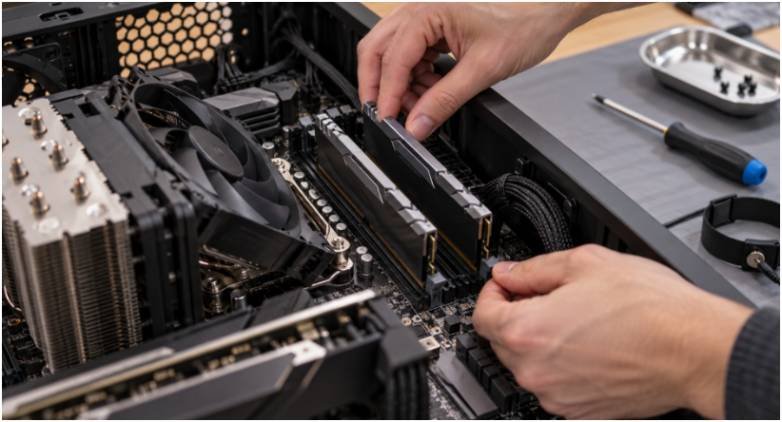
For an AM5 or LGA 1851 build, DDR5 is part of the platform. A 32GB kit with two 16GB modules is a practical starting point for gaming and background apps. Two modules are generally easier to run at high rated speeds than four; check the motherboard’s supported memory list before buying.
AMD AM5 memory target
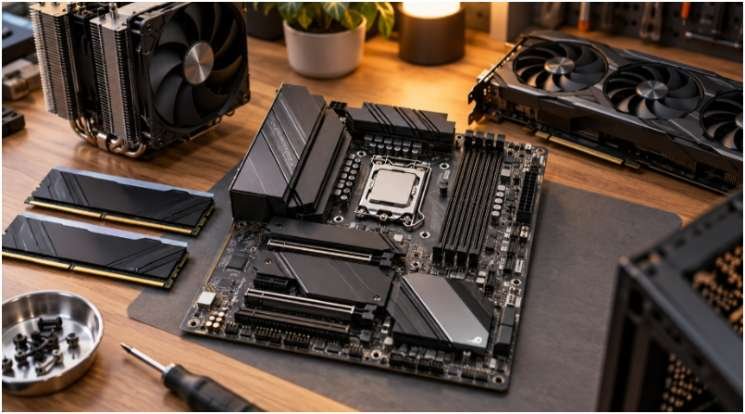
DDR5-6000 CL30 with an AMD EXPO profile is a useful shopping target, not a guaranteed best setting for every Ryzen system. Check the board’s compatibility list and update its BIOS if needed. AMD explains how EXPO profiles work on AM5.
Intel memory target
For a DDR5 Intel build, a two-module 32GB kit around DDR5-6000 to DDR5-6400 is a reasonable starting range. Faster kits can cost more without delivering a matching gain in your games. Check the processor, board, and kit compatibility, and look for a supported Intel XMP profile.
For more detail on timings, profiles, and cooler clearance, learn to choose DDR5 RAM for gaming PC builds. Tall RGB modules deserve a clearance check if you plan to use a large air cooler.
| Your situation | Sensible next step | Reason |
| DDR4 PC with 16GB and frequent memory pressure | Consider 32GB of compatible DDR4 | Capacity may address slowdowns without a platform replacement |
| DDR4 PC that performs well at 4K | Keep the current RAM for now | The graphics card may be the limiting part |
| New AM5 or LGA 1851 build | Buy a compatible two-module DDR5 kit | These platforms require DDR5 |
| New LGA 1700 build | Price the full DDR4 and DDR5 builds | Board choice fixes the memory type |
FAQs
1. Is DDR5 worth it over DDR4 for 1080p gaming?
It can be when a game is CPU-limited. Compare tests using a similar processor, graphics card, and game settings.
2. Will DDR5 increase FPS at 4K?
Sometimes, but gains often shrink when the graphics card is already working at its limit.
3. Can I put DDR5 RAM in my DDR4 motherboard?
No. The slots and electrical requirements differ, so you need a DDR5-compatible motherboard.
4. Is 32GB DDR4 better than 16GB DDR5 for gaming?
If you regularly run short of memory, the 32GB system may feel smoother. Otherwise, the result depends on the game and hardware.
The upgrade that earns its place
I would buy DDR5 with a new platform, but I would not replace a capable DDR4 PC solely because a benchmark shows a bigger FPS number. Check your motherboard, watch memory use in the games you play, and find out whether your CPU or GPU is limiting performance. Then spend on the part that solves the problem you can actually see.
Leave a Reply