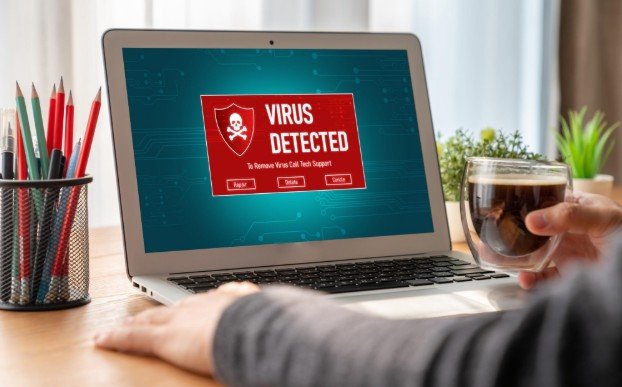
A red screen fills my browser. A siren sounds, a countdown starts, and a message claims my files will disappear unless I call a number immediately. I know the safest first move is to pause. When I need to know how to recognize a fake computer virus warning, I check where it came from and what it wants me to do before touching anything on the page.
A convincing logo does not prove an alert is genuine. Scam pages can imitate familiar security brands and make an ordinary browser tab look like a system warning. The steps below help you verify the message without following its instructions.
Check Where the Warning Came From
The warning’s location is your first clue. Did it appear while you were visiting a website? Can you see a browser address bar above it? If so, the message may be part of the page rather than a finding from your computer’s security software. A website claiming it just scanned every file on your PC deserves particular suspicion.
A warning in the corner of your desktop can also come from a website. Browsers can display notifications after a site has been given permission, even when that site is no longer open. If you recently followed a guide to secure a new home router after setup, remember that router security settings will not remove a website’s notification permission; check your browser’s notification settings separately.
Look for the website name or address shown with the notification. Neither location proves your computer is safe or infected. It tells you where to investigate next.
Signs the Alert Is Trying to Scam You
It Gives You a Phone Number to Call
Treat a security pop-up that tells you to call “Microsoft support” or another company as a scam warning. The number could connect you to someone who asks for payment, passwords, or remote access to your computer. Do not use contact details supplied by the alert. If you already called, hang up, block unwanted calls from that number, and find the company’s official support details independently.
It Pressures You to Act Immediately
A countdown, flashing colors, repeated sounds, or a claim that you must not close the window is designed to make you react before checking. A full-screen page may look as though it has locked your computer when it has only taken over the browser display.
It Offers an Instant Fix
Be wary if the warning tells you to buy protection, install a “cleaner,” open a download, or follow unfamiliar computer commands. A page that displays dramatic scan results seconds after loading is not reliable evidence of an infection.
Poor spelling and an odd website address can add to your suspicion, but do not rely on those clues alone. A polished page with a familiar logo can still be fraudulent.
Verify the Alert Without Clicking It
To confirm whether there is a real problem, open the security software already installed on your computer from its usual app icon or system settings. Check its protection status and scan results there. On a Windows PC, you can open Windows Security from the Start menu; if you use another antivirus product, open that product directly.
If you are unsure, update your security software through its own app and run a scan. Do not use a button or download link from the warning to start one. This independent check is more useful than trying to judge the alert by its appearance.
Close the Warning Safely
Do not click buttons inside the suspicious page, including a page-designed “Cancel” or “X.” Close the browser tab or window using your browser’s controls. If the page prevents that, use Alt + F4 on Windows to close the active window. You can also open Task Manager and end the browser task. On a Mac, use Force Quit if necessary.
When you reopen the browser, avoid restoring the suspicious tab. If alerts continue appearing, check the browser’s site notification permissions and remove unfamiliar websites from the allowed list. Review extensions you do not recognize, then run a scan with your installed security software. Repeated warnings may be caused by an allowed website notification; they do not, by themselves, confirm malware.
What If You Already Responded?
What to do next depends on what happened. If you only saw the page and closed it, verify your security status independently. If you downloaded or opened a file, scan the computer and review recently installed apps or extensions.
If you gave someone remote access, disconnect the computer from the internet and seek help from a trusted technician or your workplace IT team. Change important passwords from a device you trust. If you entered payment information, contact your bank or card issuer using the number on your card or its official website. You can report a tech support scam to the US Federal Trade Commission at ReportFraud.ftc.gov.
Frequently Asked Questions
1. How can I tell whether a warning from Windows is real?
Open Windows Security yourself from the Start menu and check its status and protection history. A browser page using Windows colors or a Microsoft logo is not the same as a finding shown inside the app.
2. Can a fake warning appear when my browser is closed?
Yes. A website with notification permission may send alerts that appear on your desktop. Check your browser’s allowed notification sites and remove ones you do not trust.
3. Does seeing a fake virus alert mean my computer is infected?
No. Seeing a scam page alone does not establish an infection. The risk is greater if you open a downloaded file, install software, share credentials, or grant remote access.
4. What is the quickest way to explain how to recognize a fake computer virus warning to someone else?
Tell them to pause, avoid the pop-up’s buttons and phone number, close the browser, and check their installed security app independently. The source of the warning and the action it demands matter more than how official it looks.
A Safer Next Step
When I see a frightening alert, I remind myself that I do not have to solve it inside the window that appeared. I close the page, check my security app directly, and respond according to what I actually did. That short pause keeps a suspicious message from making the decision for me.
Leave a Reply