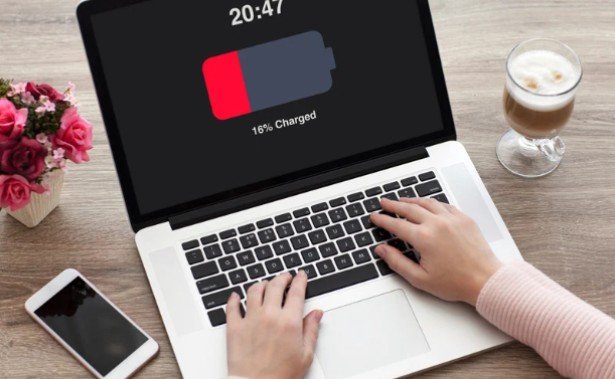
When my laptop starts running out of power sooner than it used to, I do not assume the battery needs replacing. A demanding app, a charging limit, or a faulty adapter can create similar symptoms. Learning how to check laptop battery health before replacing the battery gives me a better starting point: I can measure wear, compare it with everyday runtime, and decide whether a new battery would solve the problem.
Start With the Symptoms
Battery wear usually shows up as shorter unplugged runtime. A laptop that once lasted most of a work session may now need an outlet after an hour or two. Sudden shutdowns, large jumps in the displayed charge percentage, or a manufacturer’s service warning deserve attention too.
First, notice when the problem happens. Rapid drain only during gaming or video editing may reflect heavy power use. A laptop that will not charge may have an adapter, cable, or port problem. If the case is bulging, the trackpad is lifting, or the battery appears swollen, stop using the laptop and arrange professional service. Do not press on or puncture the battery.
Check Battery Health in Windows 11

Generate the battery report
Open Command Prompt or Windows Terminal, type powercfg /batteryreport, and press Enter. Windows will display the location of an HTML report. Open that file in your browser and find the “Installed batteries” section near the top.
Compare “Design Capacity,” the battery’s original rated capacity, with “Full Charge Capacity,” the amount it can currently hold. The report may also show a cycle count, capacity history, and estimated battery life. If a cycle count is missing, use the capacity figures and your actual runtime instead of treating the missing number as a fault.
Calculate what the figures mean
Divide full charge capacity by design capacity, then multiply by 100. For example, a battery rated at 50,000 mWh that now holds 38,000 mWh has about 76% of its original capacity: 38,000 ÷ 50,000 × 100 = 76%.
That result shows capacity loss; it is not an automatic order to replace the battery. Check the capacity history for a continuing decline, then ask whether the current runtime still meets your needs. Battery life estimates reflect past use and can change when your workload changes. Windows Settings > System > Power & battery can also help you spot unusually high app usage.
Check Battery Health on a MacBook
Open the Apple menu, select System Settings, then Battery, and look for Battery Health. “Normal” means the battery is functioning normally. “Service Recommended” means its ability to hold a charge has fallen or it may not be functioning normally. You can also open System Information and select Power to view the cycle count.
A service message is a reason to assess your runtime and seek advice, especially if the laptop shuts down unexpectedly. It does not mean every Mac must be replaced immediately. If the issue is that the Mac charges slowly or pauses charging, check its charging settings and use an adapter with adequate wattage before blaming battery wear.
Check Battery Health on a Chromebook
Open Settings, select About ChromeOS, and open Diagnostics. Its Battery section can show battery health, cycle count, and charging information. Some models also offer a short discharge test. Compare the reading with how long the Chromebook actually runs during your normal tasks.
This gives Chromebook owners the same essential decision: is the battery holding substantially less energy, or has something else changed about how the device is used?
Rule Out Problems a New Battery Will Not Fix
Before ordering a part, test the laptop with its intended charger and a working outlet. Inspect the cable and charging port for damage. If charging stops near a set percentage, check whether a battery protection or smart charging feature is limiting the charge on purpose.
Next, compare runtime under similar conditions. Use roughly the same screen brightness and routine tasks on two separate days. Check laptop battery health, look for apps consuming unusual power, and install relevant system and manufacturer updates. If performance also feels sluggish, investigate whether your slow PC needs more RAM or a faster SSD as a separate issue. A single short session during a demanding task is weak evidence of battery failure.
Do not try repeated full discharges to “restore” lost capacity. A health report and ordinary use provide a more useful basis for the decision. If the report looks reasonable but the laptop still shuts down without warning, contact the manufacturer or a qualified repair provider for diagnosis.
When Is Replacement Worthwhile?

Consider replacement when capacity has fallen substantially, unplugged runtime no longer meets your needs, or a battery diagnostic recommends service. Around 80% of original capacity can be a useful point to evaluate the battery, but it is not a universal cutoff. Someone who mostly works near an outlet may be comfortable with less runtime; someone who travels daily may need a replacement sooner.
Before buying, confirm the laptop’s exact model and battery part number. Check warranty or service coverage, the total repair cost, and whether the battery is designed for owner replacement. A compatible battery matters more than choosing a part from a listing that merely looks similar.
Frequently Asked Questions
1. How to check laptop battery health before replacing the battery if the report shows no cycle count?
Compare full charge capacity with design capacity, review capacity history if available, and measure runtime during your normal work. A missing cycle count alone does not tell you the battery is healthy or faulty.
2. Does 80% battery health mean I need a new battery now?
No. It means the battery holds about four-fifths of its original rated capacity. Your runtime, shutdown behavior, diagnostic warnings, and daily needs determine whether replacement is worthwhile.
3. Can a new battery fix a laptop that will not charge?
Only if the battery is the cause. Check the correct adapter, cable, outlet, charging port, and any charging limit first. A repair provider can diagnose an unresolved charging fault.
My Takeaways
I would replace a laptop battery when the health reading and real-world symptoms point to the same problem. A capacity percentage tells me how much the battery has aged; runtime tells me whether that loss matters to my day. Checking both, then ruling out charging and app issues, helps me spend money on the repair I actually need.
Leave a Reply