Software can continue opening normally long after it has stopped being properly supported. That is what makes outdated programs easy to miss: there may be no dramatic warning, crash, or red banner telling you that security fixes have ended.
Knowing how to check if computer software is outdated means looking beyond whether an application still works. You need to check its version, available updates, operating-system support, drivers, and whether its developer still provides security patches.
That matters because updates frequently close vulnerabilities that attackers can exploit. The Federal Trade Commission recommends installing updates promptly and enabling automatic updates for operating systems, browsers, security tools, and applications whenever possible.
What Does “Outdated Software” Actually Mean?
Outdated does not simply mean “not the newest version.”
A program becomes meaningfully outdated when a newer version contains important security, reliability, compatibility, or functionality fixes that your installed version lacks. An even bigger concern is software that has reached end of support, because the developer may no longer release security fixes at all.
CISA describes software patches as updates that address security vulnerabilities and other problems in operating systems and applications.
That creates three different situations:
| Software status | What it means | What to do |
| Current | Latest supported version installed | Keep automatic updates enabled |
| Update available | Supported, but a newer release exists | Review and install the update |
| Unsupported | Developer has stopped maintaining the version | Upgrade, replace, or remove it |
The third category deserves the most attention. An unsupported program may keep functioning perfectly while newly discovered vulnerabilities remain permanently unpatched.
The Fastest Way to Check Windows Software
Windows users can inspect many installed applications without visiting every developer’s website individually.
Run WinGet Upgrade
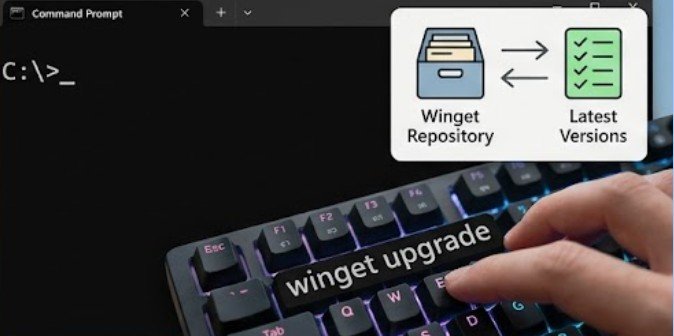
On a modern Windows PC, open Terminal, PowerShell, or Command Prompt and enter:
winget upgrade
Microsoft says the command identifies installed applications for which an upgrade is available. It displays the installed version alongside the available version, giving you a quick inventory of programs that may need attention.
After reviewing the list, you can update supported applications individually or use:
winget upgrade –all
This tells Windows Package Manager to attempt upgrades for all applications with available updates. Microsoft recommends running the basic winget upgrade command first so you can see what is about to change.
There is an important limitation: WinGet cannot necessarily recognize every application. Programs with unusual installers, unknown version information, proprietary update systems, or packages outside recognized repositories may require manual checking.
Check Windows Itself, Not Just Your Apps
A fully updated browser does not make an unsupported operating system safe.
Open:
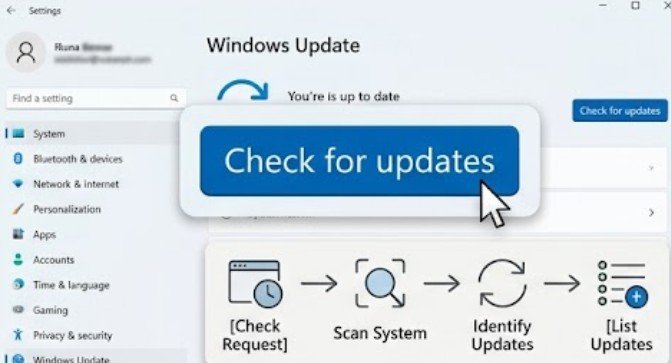
Settings > Windows Update > Check for updates
Review both available updates and your update history. Microsoft currently notes that standard support for Windows 10 ended on October 14, 2025, meaning ordinary Windows 10 installations no longer receive the same free security-fix lifecycle they previously had.
This illustrates why checking the version number alone is not enough. A computer can say “You’re up to date” while running a product generation that has reached the end of its normal support period.
NIST treats patching as preventive maintenance rather than optional housekeeping. Its enterprise patch-management guidance says effective patching helps prevent compromises, operational disruption, and data breaches.
Inspect Programs That WinGet Misses
If you want to know how to check if computer software is outdated reliably, inspect important programs directly as well.
Open applications you use frequently, especially browsers, password managers, antivirus software, office programs, VPN clients, accounting tools, and creative applications.
Look under menus such as:
Help > About
Settings > About
Help > Check for Updates
Preferences > Updates
The About screen normally reveals the installed version number. Compare that number with the current release shown on the developer’s official website or release-notes page.
Be especially cautious about downloading an “update” from advertisements, unexpected pop-ups, or third-party download sites. The FTC advises downloading software from sources you know and trust because malicious downloads can disguise themselves as legitimate programs.
Do Not Forget Hardware Drivers
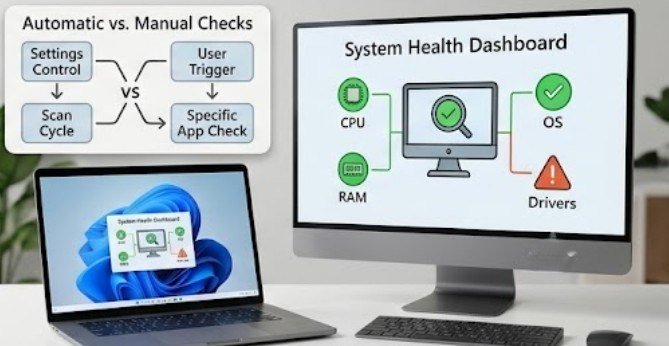
Drivers are software too. Graphics cards, Wi-Fi adapters, printers, chipsets, Bluetooth devices, and storage controllers all depend on drivers that can receive compatibility, stability, and security improvements.
On Windows 11, check:
Settings > Windows Update > Advanced options > Optional updates
Microsoft explains that optional driver updates are not necessarily installed automatically, so users may need to review this section manually.
For major components, you can also use the manufacturer’s official updater. Examples include tools from Intel, AMD, NVIDIA, Dell, Lenovo, or HP.
Avoid randomly installing every driver advertised by third-party “driver updater” utilities. A newer driver is not automatically better for every computer, particularly older hardware or specialized business systems.
Use a Five-Minute Software Audit
You can perform a practical computer software check without installing another scanning application.
Step 1: Check the operating system
Confirm that Windows or macOS is still supported and receiving security updates.
Step 2: Scan installed applications
On Windows, run winget upgrade. Note anything with an available update.
Step 3: Manually inspect critical programs
Check browsers, antivirus software, password managers, financial applications, VPN software, and programs containing sensitive information.
Step 4: Review drivers
Check Windows Optional Updates and manufacturer utilities for major hardware.
Step 5: Identify abandoned programs
Look for applications you rarely use, software whose developer has disappeared, or programs that have not received updates for years.
OWASP identifies vulnerable and outdated components as a significant security concern, particularly when users do not know which versions they are running or continue using unsupported software.
UC Berkeley’s Information Security Office similarly publishes vulnerability alerts showing why knowing the exact software and version installed matters: security problems frequently affect particular releases rather than every version of a product.
Should You Install Every Update Immediately?
Not necessarily. Security updates for internet-facing applications such as browsers deserve high priority. Critical operating-system patches usually do too.
Feature upgrades require slightly more judgment. A major application release can change file formats, extensions, workflows, or hardware requirements. Businesses using specialized software may test an upgrade before deploying it widely.
This is why NIST defines patch management as more than simply downloading updates. The process includes identifying, prioritizing, installing, and verifying patches.
For a personal computer, the principle is simple: prioritize security fixes, keep backups, and be more cautious with large version jumps.
Before major operating-system or application upgrades, protect important files first. Mac users can follow this guide on backing up a Mac to an external drive before making significant system changes.
Signs Software May Be Too Old to Keep
An available update is not the only clue. Warning signs include the developer no longer publishing security notices, the application requiring an unsupported browser or operating system, websites refusing connections because of old encryption support, extensions no longer working, or the software failing to open files created by newer versions.
Repeated compatibility warnings also deserve attention.
If updating is impossible because your computer cannot meet the new hardware requirements, keeping the old software indefinitely may create more risk than replacing the application—or eventually the computer.
Frequently Asked Questions
1. How can I tell what version of a program I have?
Open the application and check Help, About, Settings, or Preferences. Most programs display their current version or build number there.
2. How often should I check for outdated software?
Automatic updates should handle many programs, but manually reviewing your operating system, major apps, and drivers about once a month is a sensible routine.
3. Can outdated software still work normally?
Yes. Unsupported software may continue functioning for years. The concern is that security and compatibility problems may no longer receive fixes.
4. What is the easiest way to check if computer software is outdated?
Windows users can start with winget upgrade, then check Windows Update, critical applications individually, and optional driver updates.
Make “Supported” the Standard, Not Merely “Working”
The dangerous thing about outdated software is how ordinary it can look. A program may launch instantly, save files correctly, and give you no reason to suspect that its security support disappeared months ago.
A short monthly review changes that. Check the operating system, run an application scan, inspect critical programs, review drivers, and remove software you no longer need.
The goal is not to install every shiny new feature. It is to make sure the software you trust with your files, passwords, and personal information is still being maintained by someone who can fix it when something goes wrong.
Leave a Reply