
Typing a password every time I unlock a desktop or laptop can quickly become annoying, especially when Windows already supports biometric authentication. Adding an external USB fingerprint reader gives an older or non-biometric PC a convenient way to use Windows Hello without replacing the entire computer.
Choosing the best fingerprint reader for a Windows PC requires more than checking whether a device can scan a finger. I look closely at Windows Hello certification, Windows 11 support, Enhanced Sign-in Security, USB compatibility, driver availability, FIDO2 features, and even processor architecture. Those details determine whether a fingerprint reader becomes a useful security upgrade or another USB accessory that refuses to work.
Which Fingerprint Reader Is Best for a Windows PC?
For most US home-office and desktop users, I would prioritize established Windows Hello-compatible devices rather than inexpensive generic biometric scanners.
Kensington’s VeriMark series and BIO-key’s EcoID line stand out because they are designed specifically around Windows biometric authentication. Kensington’s VeriMark Desktop Fingerprint Key supports Windows Hello and Windows Hello for Business, while BIO-key says the EcoID III supports Windows 10 and Windows 11 and integrates with Windows Hello.
The right choice still depends on the PC. A laptop user may prefer a low-profile USB reader, especially in a gaming setup that already includes a laptop cooling pad for gaming, while someone with a desktop tower under a desk will probably appreciate a wired scanner that can sit beside the keyboard.
Is Kensington VeriMark Good for Desktop Windows PCs?

Kensington VeriMark Desktop Fingerprint Key
The VeriMark Desktop is especially appealing for a fixed workstation because its cable allows the reader to sit somewhere convenient rather than forcing me to reach behind a desktop tower.
Kensington lists the device as Windows Hello certified and describes Match-in-Sensor fingerprint technology, 360-degree readability, anti-spoofing protection, and FIDO support. The manufacturer also lists a long desktop cable, making the design more practical for business and home-office PCs.
This type of setup makes more sense to me for a full-size desktop than a tiny USB dongle hidden behind the case.
Is BIO-key EcoID III Good for Windows Hello?
BIO-key EcoID III
The EcoID III is another strong option when I want a dedicated USB fingerprint scanner rather than a miniature security key.
BIO-key states that EcoID III supports Windows 10 and Windows 11 and can work with Windows Hello biometric login. It is also positioned for business environments where organizations may eventually need Active Directory, SAML, OAuth, or other enterprise authentication features.
For a PC that stays on a desk, its external scanner format can provide easier fingerprint placement than a small reader attached directly to a rear USB port.
Do I Need a PIN Before Setting Up Windows Hello Fingerprint Login?
This is one detail I would check before assuming a new scanner is defective.
Windows Hello includes fingerprint recognition, facial recognition, and a device-specific PIN as sign-in methods. Microsoft explains that users can configure these options from Settings > Accounts > Sign-in options.
BIO-key’s EcoID support documentation is even more explicit: it tells users to make sure a PIN is set because the PIN allows biometric authentication to be used. It also recommends having a valid Windows password before configuring fingerprint sign-in.
I therefore set up my Windows account password and Windows Hello PIN before enrolling fingerprints. The PIN also gives me an important backup if Windows cannot recognize my finger.
Will a USB Fingerprint Reader Work With Windows 11?
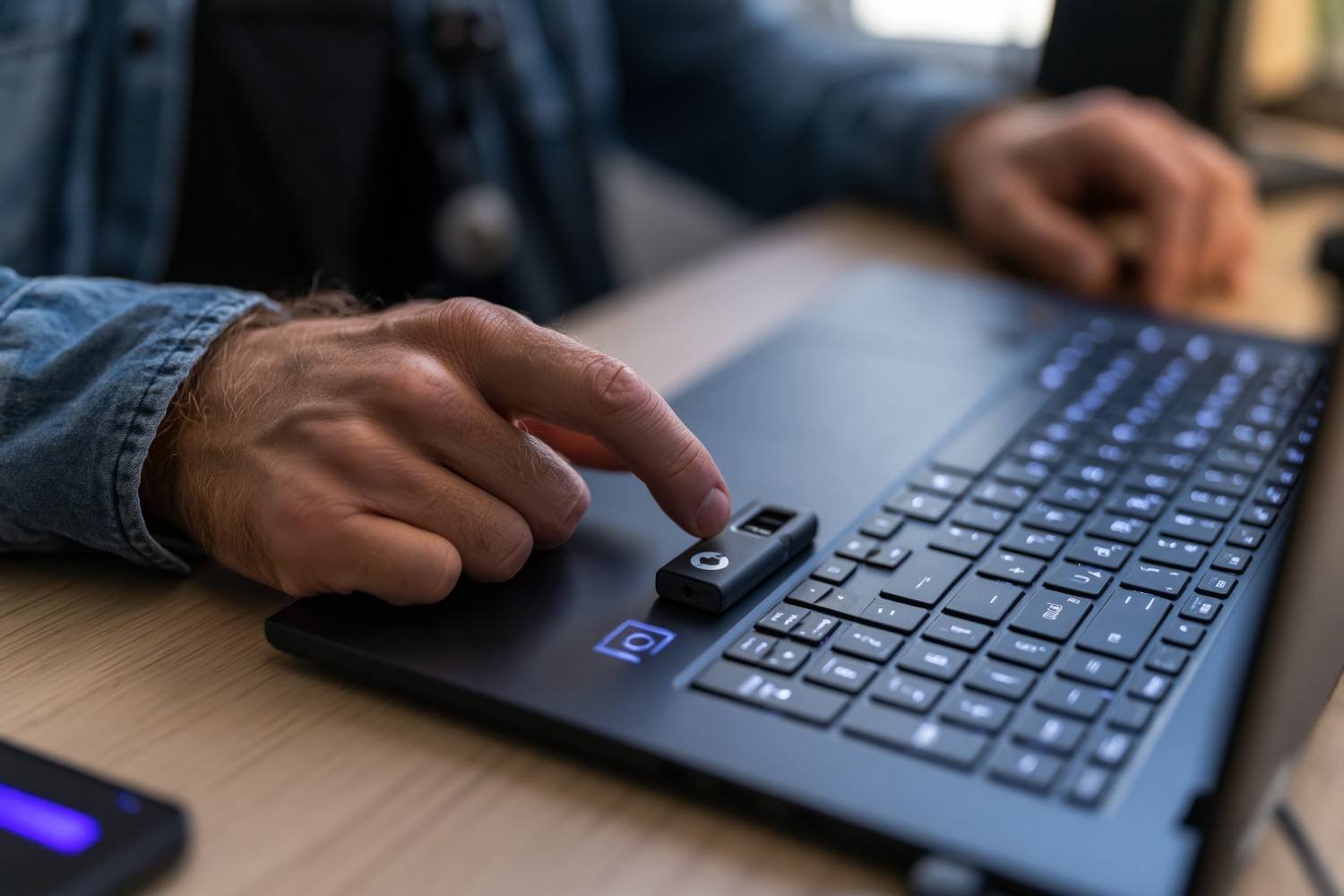
Generally, yes, but Windows 11 compatibility now requires more attention than simply seeing “Windows Hello compatible” on the packaging.
Microsoft’s Enhanced Sign-in Security, or ESS, adds additional hardware-backed protections to Windows Hello. Microsoft warns that some third-party fingerprint readers may not work for Windows sign-in while ESS is enabled unless those peripherals support ESS.
On Windows 11 version 24H2 or newer, Microsoft provides an Enhanced sign-in security setting under Sign-in options on supported PCs. A non-ESS reader may require ESS to be disabled before it can be enrolled.
That makes ESS compatibility one of the most important specifications I would verify before buying a reader for a newer Windows 11 machine.
Do Fingerprint Readers Work on ARM-Based Windows PCs?
Not every external biometric device offers identical support on ARM-based Windows computers.
This matters more now that ARM Windows devices, including certain Surface and Snapdragon-powered PCs, are increasingly common in the US market.
For example, Kensington’s documentation for its VeriMark Desktop Fingerprint Key warns that ARM-based processors may have limited functionality and states that Windows ARM-based computers are not currently supported for that particular model.
That means I would never assume that a scanner marked “Windows compatible” automatically works on every Windows-on-ARM system. I would check the exact manufacturer’s compatibility page for my reader and PC architecture before ordering.
Should You Choose a USB-A or USB-C Fingerprint Reader?
Port compatibility sounds simple, but it can make or break the experience.
Many traditional Windows desktops still provide several USB-A ports, while newer ultrabooks increasingly favor USB-C. Some fingerprint readers use USB-A directly, while other models or revisions may offer USB-C support.
If I am buying for a laptop, I prefer a reader that connects directly without requiring another adapter. On a desktop, a cable-based reader offers more flexibility because I can place the fingerprint sensor close to the keyboard even if the USB port is farther away.
Does FIDO2 Matter on a Windows Fingerprint Reader?
FIDO2 matters most when I want the device to do more than unlock Windows.
Windows Hello handles local biometric sign-in, while FIDO2 and WebAuthn can support passwordless authentication across compatible websites, services, and enterprise systems.
Kensington’s VeriMark Desktop product line supports FIDO-related authentication in addition to Windows Hello functionality.
For basic home login, FIDO2 is not always essential. For business users, security-conscious buyers, or people moving toward passkeys and passwordless authentication, it can add meaningful long-term value.
How Do I Set Up a Fingerprint Reader on Windows 11?
I first connect the reader directly to a USB port and allow Windows to install its driver. Then I open Settings > Accounts > Sign-in options and choose Fingerprint recognition under Windows Hello.
Microsoft recommends following the enrollment prompts to register the fingerprint. If the reader is external and the PC uses ESS, I also check the Enhanced sign-in security setting before troubleshooting the device.
I also register more than one finger when possible. Microsoft specifically recommends adding another fingerprint as a troubleshooting and convenience measure.
Why Is My Windows Fingerprint Reader Not Working?
When fingerprint login fails, I first confirm that Windows recognizes the biometric device in Device Manager and then check Windows Update and the manufacturer’s current driver package.
Microsoft recommends keeping the sensor clean and dry, registering fingerprints from different angles, checking for driver updates, and adding more than one fingerprint. If biometric sign-in fails, users can sign in with their PIN or password and re-register their fingerprints.
For newer Windows 11 systems, I would also investigate ESS compatibility. For ARM-based PCs, I would verify processor support rather than spending time repeatedly reinstalling an incompatible driver.
What Should I Look for Before Buying a Fingerprint Reader?
The best fingerprint reader for a Windows PC should match the operating system, processor architecture, ports, and security features of the computer I actually use.
Windows Hello certification should come first. After that, I would check Windows 11 support, ESS compatibility, USB-A or USB-C connectivity, ARM support, reliable driver updates, fingerprint recognition accuracy, and whether FIDO2 matters for my use case.
For a desktop tower, sensor positioning also matters. A wired reader beside the keyboard will usually be much more convenient than a tiny scanner attached behind the PC.
Frequently Asked Questions (FAQs)
1. Can I Add a Fingerprint Reader to a Windows PC Without One?
Yes. Microsoft confirms that users can purchase an external USB fingerprint reader when their PC does not include a built-in fingerprint sensor.
2. What Is the Best Fingerprint Reader for Windows PC for Everyday Use?
The best fingerprint reader for Windows PC for everyday use should support Windows Hello, have current Windows 11 drivers, and match the computer’s USB ports. Desktop users may prefer a wired reader, while laptop users often benefit from a compact design.
3. Do I Need a Windows Hello PIN to Use Fingerprint Login?
A Windows Hello PIN functions as an important fallback sign-in method, and biometric-reader documentation such as BIO-key’s setup instructions recommends configuring the PIN before fingerprint enrollment.
4. Can a Fingerprint Reader Work on a Snapdragon Windows Laptop?
Possibly, but you should verify ARM compatibility for the exact model. Some Windows fingerprint readers and enterprise security keys have limited or unsupported functionality on ARM-based systems.
5. Is Windows Hello More Secure Than Typing a Password?
Windows Hello can reduce reliance on repeatedly typed passwords and uses device-bound authentication methods. Security still depends on the device configuration, biometric hardware, PIN protection, account recovery settings, and whether technologies such as ESS are enabled.
Final Takeaway
I see an external fingerprint reader as a simple but valuable upgrade for a Windows computer that lacks built-in biometrics. The convenience of touching a sensor instead of typing a password several times each day can quickly become something I do not want to give up.
However, I would not buy solely based on price or recognition speed. Windows Hello support, backup PIN configuration, Windows 11 ESS requirements, ARM architecture compatibility, FIDO2 support, USB connectivity, and reliable driver updates matter just as much.
For a conventional Windows desktop, Kensington’s VeriMark Desktop series and BIO-key’s EcoID III deserve consideration because they are built around Windows biometric authentication. Whatever model I choose, I would verify current manufacturer compatibility before buying, especially on newer Windows 11 or ARM-based PCs.
Leave a Reply